You don’t need a developer. You don’t need a telecom contract. You don’t need a week of onboarding calls.
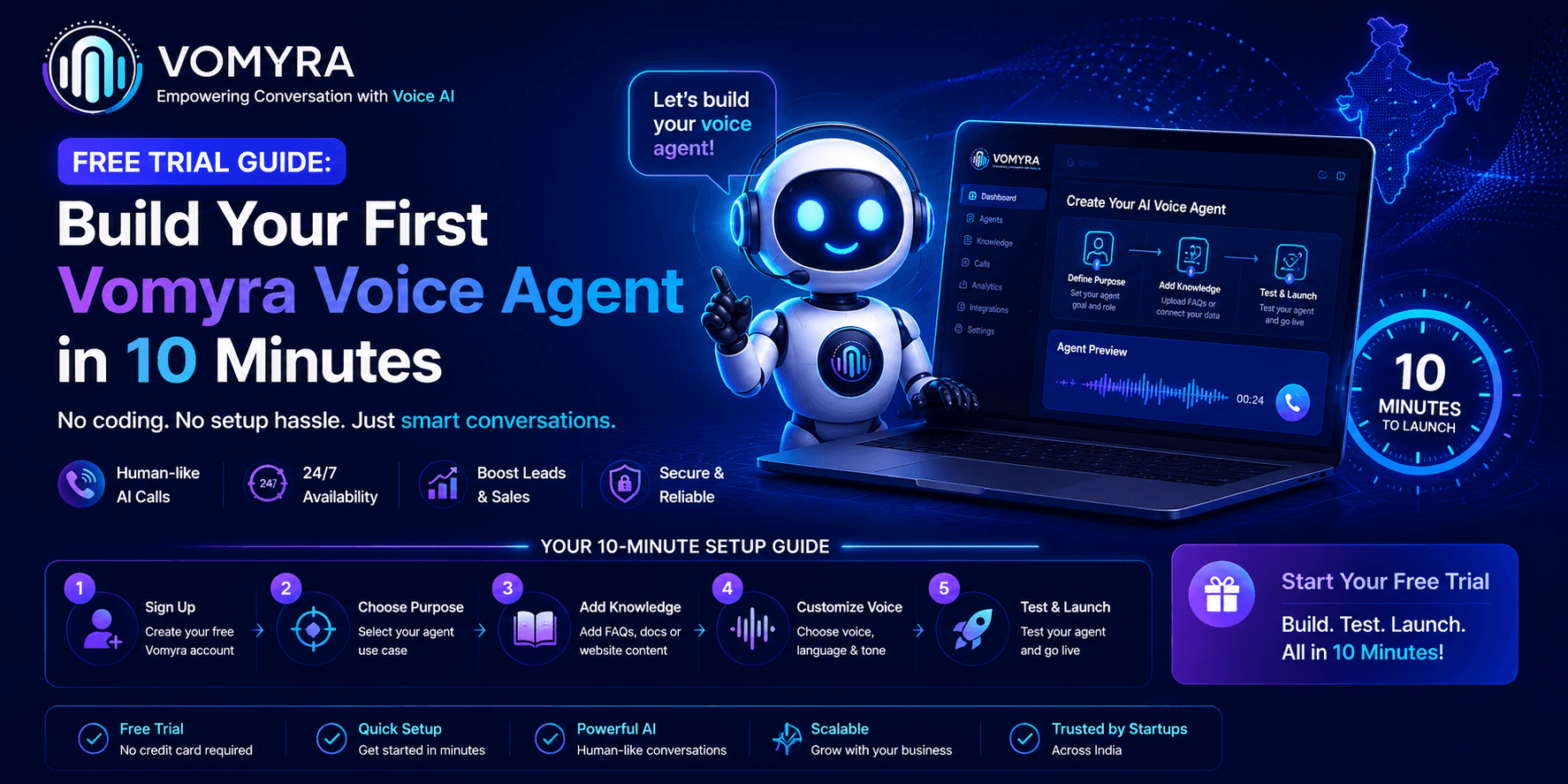
If you’ve been putting off trying AI voice agents because you assumed it would take days to set up, this guide will change your mind. Below is exactly how to go from zero to a live, working voice agent on Vomyra – using the free trial, with an Indian phone number included, in about 10 minutes.
Why This Matters Before You Start
Most voice AI platforms make you stitch together three separate things yourself: a telephony provider, a language model, and a no-code builder. That’s usually where “quick setup” turns into a multi-day project.
Vomyra removes that friction by bundling all three into one flow – including a ready-to-use +91 number, which matters more than most businesses realize. Customers are far more likely to answer and trust a call from a local Indian number than an unfamiliar international one, which directly affects how many of your calls even get picked up in the first place.
With that out of the way, here’s the actual walkthrough.
Step 1: Sign Up for the Free Trial (1 minute)
Head to vomyra.com/pricing and start your free trial. You’ll just need a business email and a password – no credit card required to explore the platform.
Once you’re in, you’ll land on your Vomyra dashboard, which is where every agent you build will live.
Step 2: Pick Your Use Case (1 minute)
Vomyra ships with prebuilt templates for the most common business scenarios, including:
- Restaurant order-taking and upselling
- Hotel and resort booking
- Real estate inquiries and site-visit scheduling
- Loan, insurance, and credit card lead qualification
- Recruitment screening
- ISP technical support
- Sales outreach
- Appointment booking (e.g., dental)
- General customer support
Choose the template closest to your business. Starting from a template means you’re editing an already-working conversation flow instead of building one from a blank page – this is the single biggest time-saver in the whole process.
If none of the templates match exactly, start with the closest one anyway. It’s much faster to trim and adjust an existing flow than to write one from scratch.
Step 3: Customize Your Agent’s Script (3–4 minutes)
This is where your agent – Myra – starts sounding like your business instead of a generic template.
At minimum, update:
- Greeting — how the agent introduces itself and your business name
- Key questions — what information the agent needs to collect (e.g., party size for a restaurant, check-in dates for a hotel, budget range for real estate)
- Offerings — menu items, room types, loan products, or whatever your agent needs to speak knowledgeably about
- Fallback response — what the agent says when it doesn’t understand or needs to hand off to a human
You don’t need to write natural-sounding dialogue yourself. Fill in the specifics and the underlying conversation logic handles tone, pacing, and interruptions – including responding naturally in Hindi or other Indian languages if you enable multilingual support.
Step 4: Connect Your Data (Optional, 2 minutes)
If you want your agent to actually act on what it hears – not just talk – connect an integration:
- Petpooja for restaurants, so orders sync directly to your POS without manual entry
- Google Sheets for everyone else, so leads, bookings, or support queries land in a spreadsheet you can act on immediately
This step is optional for testing, but it’s what turns your agent from a demo into something that actually saves you work on day one.
Step 5: Test Your Agent (2 minutes)
Before going live, use the built-in test call feature to call your own agent and try to break it:
- Interrupt it mid-sentence
- Ask something off-script
- Speak partly in English and partly in Hindi
A good agent should recover naturally from all three. If something feels off, this is the moment to go back and adjust your script – not after a real customer has already hit the same issue.
Step 6: Go Live (1 minute)
Once you’re happy with the test call, activate your agent. Your Indian phone number is ready to receive calls immediately, and you can also embed a “Get My AI Call” widget on your website if you want visitors to trigger a call directly from your homepage.
That’s it. Ten minutes, and you have a live AI voice agent handling real conversations for your business.
What to Do in Your First Week
Building the agent is the easy part. Getting real value from it comes down to a short list of habits:
- Review call transcripts daily for the first week. This is the fastest way to spot gaps in your script.
- Watch your fallback rate. If your agent is escalating to “I don’t understand” too often, that’s a signal your template needs more specific answers, not a sign the AI isn’t working.
- Refine one thing at a time. Change the greeting, test for a day. Adjust the questions, test again. Small iterations beat rebuilding the whole flow at once.
Common First-Time Mistakes to Avoid
- Skipping the test call. It takes two minutes and catches most issues before a real customer does.
- Writing an overly long greeting. Callers hang up on agents that talk too much before getting to the point — the same rule that applies to human receptionists applies here.
- Forgetting the fallback path. Every agent needs a clear “hand off to a human” moment for anything outside its scope. An agent that gets stuck in a loop is worse than no automation at all.
Start Your Free Trial
If you’ve read this far, you already know the setup isn’t the hard part – deciding to try it is. Ten minutes from now, you could have a working AI voice agent answering calls for your business.
Frequently Asked Questions
Do I need to know how to code?
No. Every step above is done through Vomyra’s no-code dashboard.
Is the Indian phone number included in the free trial?
Yes – you get a working +91 number as part of setup, not as a paid add-on.
Can I change my agent’s language after it’s live?
Yes. Multilingual support, including Hindi and other Indian languages, can be adjusted anytime from the same dashboard.
What happens after the free trial ends?
You can upgrade to a paid plan to keep your agent live, or continue testing within the trial’s limits. Check vomyra.com/pricing for current plan details.