If you build automations for a living, you already know the pattern. A form submission triggers a CRM entry, a WhatsApp message, an email and a task for the sales team. The workflow runs perfectly. Then nothing happens, because the lead never picks up a message and nobody calls them.
Text-based automation covers most of the funnel. The phone call is the step that is usually left to a human, and it is often the step that decides whether a lead becomes a customer.
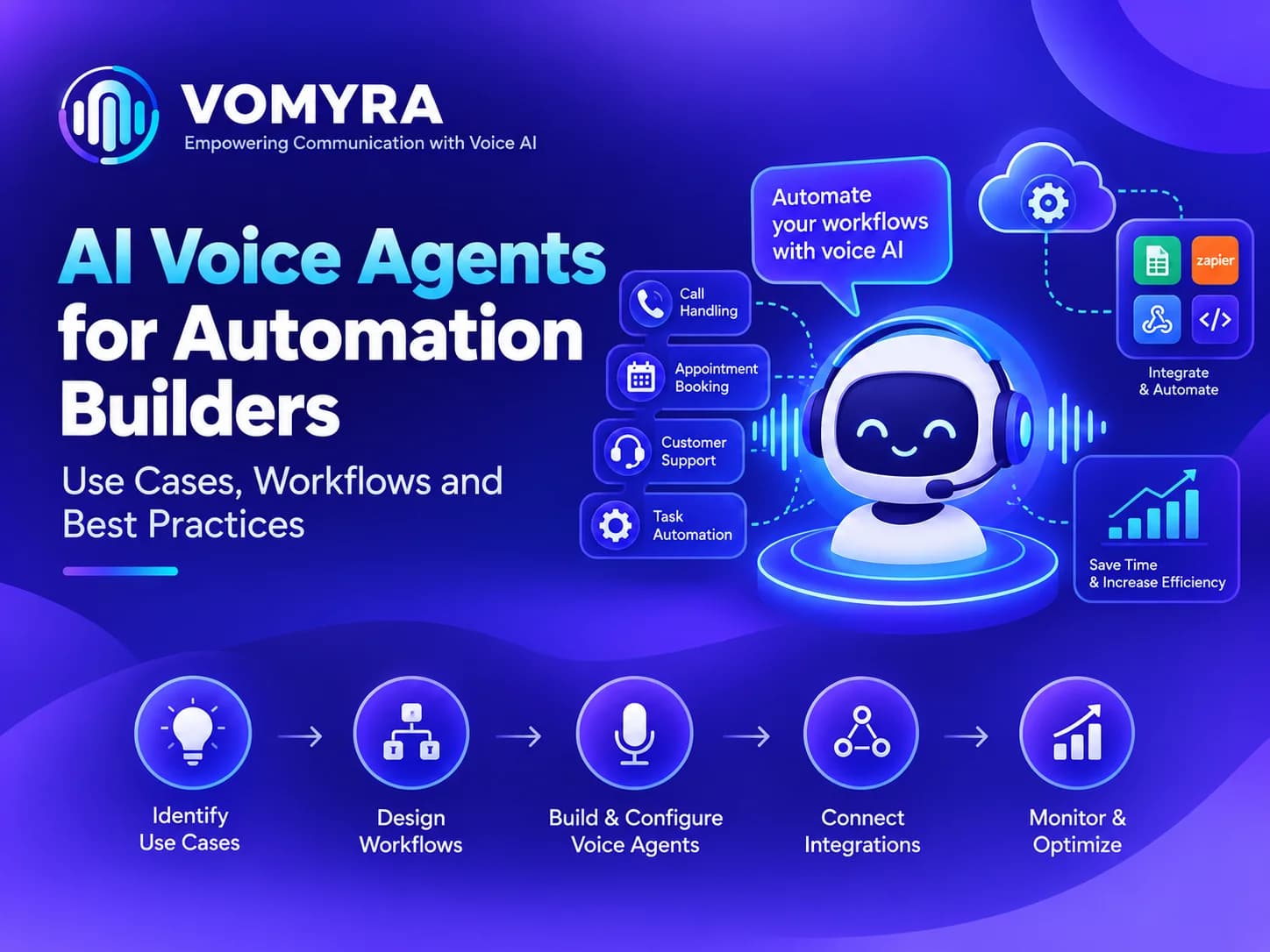
AI voice agents for automation builders let automation builders add that missing step. The call becomes another node in the workflow: triggered by an event, handled by an agent, and sent back to your systems as structured data. This guide covers where voice fits in the automations you build, the workflows worth setting up first, and the practices that keep them dependable for clients.
Why Automation Builders Should Add Voice
- The phone still decides many outcomes. For high-intent leads, overdue payments, order confirmations and appointments, a call gets a response when messages do not. This makes voice automation useful for workflows where text alone is not enough.
- It completes the workflow. A workflow without a call often ends at “task assigned to a human”. With voice, it can end at “meeting booked” or “payment confirmed”.
- It is a new service line. Voice-enabled automations are easy to explain to clients and to price against outcomes. With AI voice agents India, automation builders can also create workflows for customers who prefer phone conversations in Indian languages.
- Your triggers already exist. New lead, missed payment, abandoned cart, upcoming appointment and renewal date are events you already track.
- Clients want fewer manual steps. Every call a client’s team no longer makes is time returned to them. This is where AI call automation can make an existing workflow more useful without rebuilding the entire system.
Key Use Cases for Automation Builders
1. Instant Lead Calls from Forms and Ads
A new lead arrives from a landing page or ad campaign. A webhook triggers the voice agent, which calls within minutes, performs AI lead qualification and books a meeting. The outcome flows back into the client’s CRM through CRM integration.
2. Appointment Confirmations and Reminders
Triggered a day or a few hours before an appointment, the agent confirms attendance, offers to reschedule and updates the calendar. This is a straightforward AI follow-up automation use case because the trigger, timing and expected outcome are already clear.
3. Cash-on-Delivery and Order Confirmation
For e-commerce clients, an agent can call to confirm an order or address before dispatch, reducing returns to origin. AI voice agents for automation builders can make these calls part of the same order workflow instead of creating a separate manual process.
4. Payment and Renewal Reminders
Invoices, EMIs, subscriptions and renewals can trigger polite reminder calls, with the result recorded automatically. Builders can use AI outbound calling for scheduled reminders while keeping the payment status connected to the client’s existing system.
5. Missed-Call and Abandoned-Enquiry Follow-Up
When a call goes unanswered or an enquiry stalls, the workflow can trigger a call back and update the lead status. This type of AI follow-up automation can help sales teams respond to leads without manually checking every pending enquiry.
6. Database Reactivation
A client with thousands of old leads can run a reactivation campaign. The agent calls the list in batches and flags interested contacts for the sales team. With AI outbound calling, automation builders can turn an old database into a structured reactivation workflow.
7. Feedback and Survey Calls
After a purchase, service visit or event, a short call can collect ratings and comments and push them into a sheet or dashboard. Voice automation makes it possible to add a conversational step instead of relying only on forms and messages.
8. Internal Operations
Voice agents can also support internal flows, such as confirming shift availability, collecting field-team updates or following up on pending approvals. These workflows can use no-code voice AI when the required triggers and actions are already available in the automation stack.
A Practical Workflow Pattern
- Trigger: an event in the client’s stack, such as a form, CRM stage change, payment status or calendar entry.
- Prepare: pass the contact’s name, phone number, context and language preference to the voice agent.
- Call: the agent runs the conversation using the approved script and knowledge base.
- Act: book a slot, send a payment link, update a status or collect an answer.
- Return data: send outcome, summary, transcript and next step back through webhooks for AI voice agents or integration.
- Branch: route the result onward. Interested leads go to sales, no-answers go to a retry schedule, opt-outs go to a suppression list.
- Monitor: log every run, track failures and review a sample of transcripts weekly.
A reliable AI voice agent platform should make this flow easy to connect with the tools the automation builder already uses. CRM integration, webhooks and structured call results are especially important when voice becomes part of a larger workflow.
Text-Only Automation vs Automation with Voice
| Aspect | Text-only workflows | Workflows with AI voice agents |
| Reach with high-intent leads | Depends on replies | Direct conversation |
| End of the workflow | Often a task for a human | Often a completed outcome |
| Handling objections and questions | Limited | Handled live on the call |
| Language coverage | Template-based | Multiple Indian languages |
| Data captured | Clicks and replies | Transcripts, intent and structured answers |
| Client-visible results | Messages sent | Meetings booked, payments confirmed |
| Pricing story | Per workflow | Tied to outcomes |
Best Practices for Automation Builders
Treat the call as a step with inputs and outputs. Decide what data goes in (name, number, context) and what must come back (outcome, notes, next action) before building.
Start with one clear trigger. Lead follow-up or appointment confirmation are good first picks. The intent is clear and results are easy to measure. These are also practical starting points for AI call automation.
Define retry and fallback rules. Set how many attempts, at what times, and what happens after no answer, an opt-out or a failed call.
Keep a human path. Decide when the agent hands over, and make sure the handoff includes a summary.
Respect consent and calling hours. Call only people who have reason to expect it, follow local rules and honour opt-outs automatically.
Log everything. Store call status, transcript and outcome so clients can audit results and you can debug quickly.
Test with real calls before handover. Run sample calls in the client’s customer languages and review transcripts. Check numbers, names and dates. This is particularly important when using AI voice agents India across different customer groups.
Document it for the client. A short note on triggers, scripts, escalation rules and reporting makes maintenance easy.

Add the Missing Step to Your Automations
You already build the triggers, the data flow and the follow-up. Voice adds the conversation that turns an event into an outcome.
Vomyra is India’s Agentic Voice AI platform. It gives businesses a complete AI voice team (Research, Outreach, Qualification, Closing and Follow-Up agents), real Indian mobile numbers, human-like conversations in multiple languages and no-code setup, with unlimited calling plans.
For automation builders, AI voice agents for automation builders can turn existing workflows into complete conversational workflows without making every call a manual task. Start with one clear use case, connect the trigger and measure the result.
If you want to offer voice-enabled workflows to your clients, test Vomyra on one automation first and measure the result.
FAQs
How can automation builders use AI voice agents?
They can add voice as a step in client workflows for lead calls, appointment reminders, order confirmations, payment follow-ups, reactivation campaigns and feedback surveys. AI voice agents for automation builders can work alongside existing CRM, marketing and customer-support workflows.
Do I need to write code to add voice to a workflow?
Not necessarily. With no-code voice AI, agents can be set up from a website, knowledge base or documents. Connecting triggers and results to other tools usually uses webhooks for AI voice agents or integrations, which most automation builders already know.
How does the call result get back into the client’s systems?
Typically through a webhook or integration that sends the outcome, summary and transcript to a CRM, sheet or database. Good CRM integration is important because the call should not become a separate data silo. Check exactly which fields a platform can send before you design the workflow.
Can AI voice agents handle Hindi and regional languages?
Yes, on platforms built for India. AI voice agents India can support multiple languages, including natural Hindi-English code-switching, which matters for clients with customers outside the metros. An Agentic Voice AI platform can also help businesses use voice across different stages of the customer journey.
Will a voice agent replace the client’s team?
It takes over repetitive first calls, reminders and confirmations. People still handle complex conversations, negotiations and sensitive cases. Voice automation works best when it removes repetitive work while keeping humans available for situations that require judgment.
How should I price voice automation for clients?
Many builders price per workflow, per booked meeting, per confirmed order or as a monthly retainer. The right model depends on call volume and on what the client values most. AI call automation can be easier to price when the workflow has a measurable business outcome.
How do I make sure the workflow stays reliable?
Define retries and fallbacks, log every call, monitor failures and review transcripts regularly. Test every change before it goes live for the client. A dependable AI voice agent platform should also make it easy to inspect call outcomes and troubleshoot failed workflows.