Managing appointments over phone calls can take considerable time. Businesses often need to check availability, confirm suitable time slots, reschedule meetings, and send reminders. When these tasks are handled manually, double bookings and missed appointments can become common problems.
Calendar integration for AI voice agents helps businesses manage these tasks by connecting voice conversations with digital calendars. An AI voice agent can check available slots, collect a caller’s preferred time, and book or update appointments when the required calendar permissions and integrations are in place.
For businesses handling regular customer calls, this approach can reduce repetitive work and make appointment management more organised.
What Is Calendar Integration for AI Voice Agents?
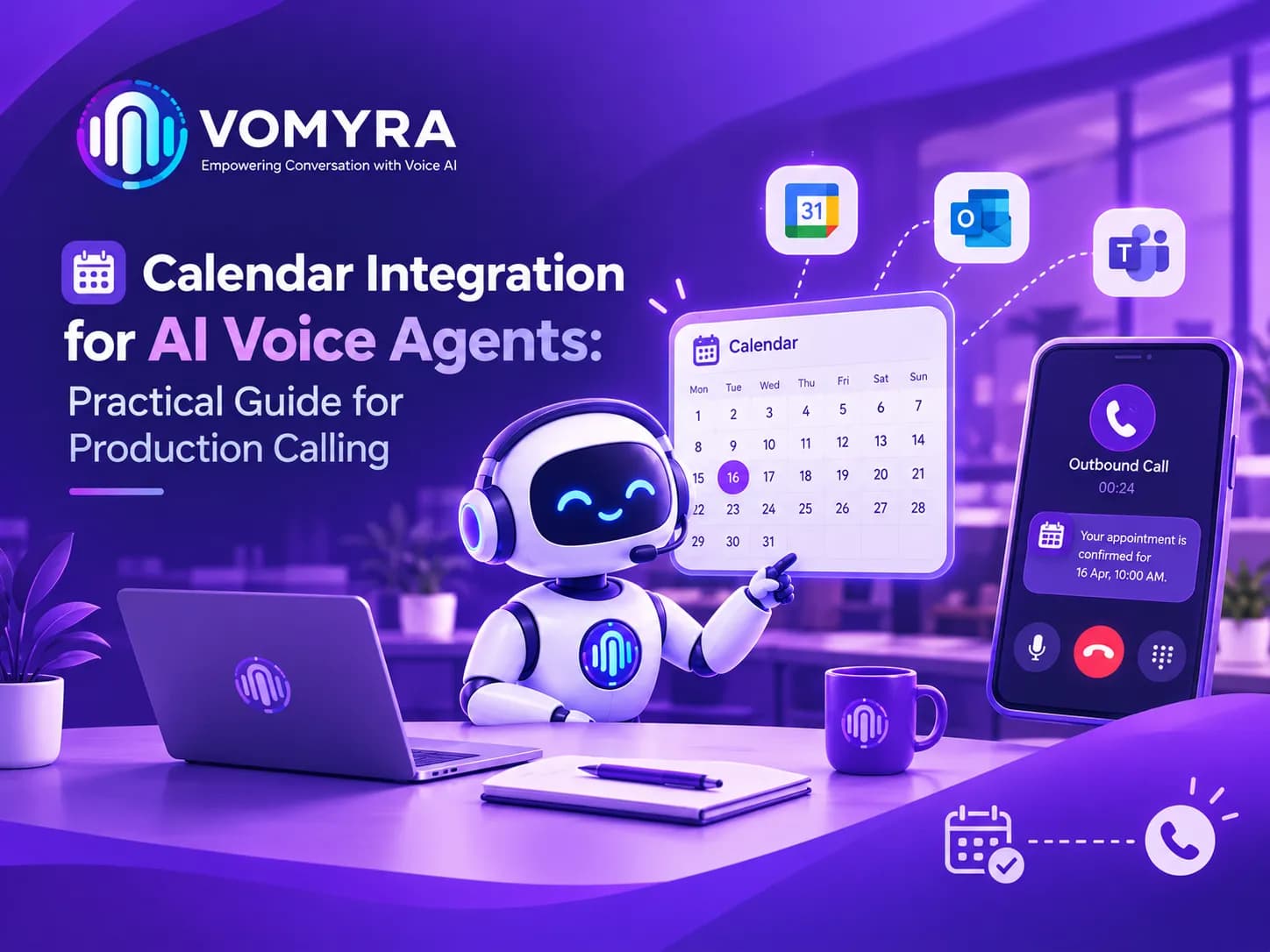
Calendar integration connects an AI voice agent to a scheduling system such as Google Calendar or another supported calendar application. It allows the agent to retrieve availability and perform approved scheduling actions during a phone conversation.
For example, a customer might call a clinic to book a consultation. The agent can ask about the preferred date, check available slots, offer suitable options, and confirm the appointment after the booking is successfully completed.
AI voice agent calendar integration is useful because it connects a natural conversation with an actual scheduling system instead of relying on a fixed list of time slots. The exact capabilities depend on the calendar provider, integration method, and permissions configured by the business.
Why Calendar Integration Matters for Businesses
Without an integrated calendar, employees may need to switch between phone calls, spreadsheets, and scheduling applications. This can slow down customer service and create inconsistencies between what a caller is told and what the calendar actually shows.
A connected scheduling workflow can help businesses:
- Reduce the time spent checking availability manually.
- Prevent conflicting appointments by checking current calendar data.
- Offer appointments outside regular working hours.
- Handle routine rescheduling requests more efficiently.
- Keep appointment records organised.
- Give employees more time for tasks that require personal attention.
These benefits are particularly relevant to clinics, consultants, real estate agencies, salons, service businesses, and sales teams that receive frequent booking requests.
How AI Voice Agents Handle Appointment Scheduling
1. Understanding the Caller’s Request
The conversation begins when a caller explains what they need. They might request a consultation tomorrow afternoon, ask for the earliest available meeting, or request a change to an existing appointment.
The agent identifies the relevant details, including the appointment type, preferred date, time, and any necessary booking information. If the request is unclear, it should ask a follow-up question rather than make assumptions.
2. Checking Calendar Availability
Once the agent understands the request, it checks the connected calendar for suitable time slots. It should consider existing events, working hours, appointment duration, buffer periods, and the correct time zone.
This is where real-time calendar synchronization becomes important. The agent needs current availability rather than relying on an outdated schedule that another employee may have changed.
3. Confirming the Appointment
After finding a suitable slot, the agent offers the available option to the caller. It should confirm the date and time before creating the event, especially when the caller has several preferences.
The booking should only be described as confirmed after the calendar system successfully creates the event. If the request fails, the agent should explain the issue and offer another option or transfer the call to an employee.
4. Updating or Cancelling Bookings
Callers may need to reschedule or cancel appointments. The agent can identify the relevant booking, check alternative slots, and update the calendar when the caller is authorised to make the change.
For sensitive appointments or requests that cannot be verified, the system should follow the business’s identity-checking and escalation procedures.
Common Use Cases Across Industries
Healthcare and Clinics
Clinics can use voice agents to schedule consultations, confirm appointment times, and manage routine rescheduling requests. Staff can then focus on patient-facing responsibilities instead of answering every scheduling call.
Real Estate
Real estate agencies can coordinate property viewings, collect preferred visit times, and schedule meetings with available agents. Calendar access must reflect each agent’s actual availability to avoid conflicting visits.
Sales and Customer Support
Sales teams can book product demonstrations, consultations, and follow-up calls. Integrated scheduling can also help direct appointments to the correct team member based on availability and business rules.
Home and Professional Services
Plumbers, repair technicians, consultants, and other service providers can arrange visits without manually coordinating every request. Appointment duration, travel time, and service areas may need to be considered before a slot is offered.
Manual Scheduling vs Calendar Integration
| Feature | Manual scheduling | Integrated AI scheduling |
| Availability checks | Employee checks the calendar | Agent retrieves available slots |
| Booking requests | Staff enters the details | Agent can create approved events |
| Rescheduling | Requires manual coordination | Agent checks alternative slots |
| After-hours requests | Usually wait for business hours | Can be handled when the system is available |
| Error management | Depends on employee checks | Requires validation and clear failure handling |
The right option depends on call volume, booking complexity, and the reliability of the integration. Human support remains important when requests involve exceptions, sensitive information, or complicated scheduling rules.
Best Practices for Calendar Scheduling Automation
Choose the Right Calendar Integration
Before implementation, confirm that the selected calendar provider supports the required actions, such as reading availability, creating events, updating bookings, and cancelling appointments.
For businesses using Google Calendar, Google Calendar integration for AI voice agents should be configured with appropriate permissions and access to the correct calendars. Test the connection with sample bookings before handling live customer calls.
Set Clear Scheduling Rules
Define working hours, appointment lengths, buffer times, booking limits, cancellation policies, and minimum notice periods. These rules help the agent offer suitable slots instead of treating every empty calendar space as available.
Handle Time Zones Correctly
Businesses serving customers in different regions should identify the intended time zone and communicate the appointment time clearly. Daylight saving changes and regional settings can otherwise lead to confusion.
Protect Calendar and Customer Data
Grant only the permissions required for scheduling. Restrict access to private event details, secure customer information, and follow applicable privacy and data-retention requirements.
The agent should also verify a caller’s identity when necessary before modifying an existing booking.
Test Failure Scenarios
Test what happens when the calendar is unavailable, two callers request the same slot, or an event cannot be created. The system should explain the problem accurately, avoid claiming an unsuccessful booking is confirmed, and provide a suitable next step.

Building Reliable AI Voice Agent Scheduling Workflows
Effective AI voice agent scheduling workflows connect the phone conversation to calendar actions, confirmation messages, and internal records.
A typical process includes:
- Receive an inbound or outbound call.
- Identify the caller’s scheduling requirement.
- Retrieve current availability from the connected calendar.
- Offer suitable slots and collect the caller’s choice.
- Validate the requested time and booking details.
- Create or update the calendar event.
- Confirm the result and send a reminder if configured.
Businesses evaluating automated appointment booking with AI should also check how the system handles concurrent requests, failed integrations, cancellations, and human handoffs. Vomyra can be evaluated as part of this process, based on the calendar integrations and voice workflows it supports.
For production calling automation, reliability matters as much as conversational quality. Teams should monitor booking success rates, scheduling errors, failed calls, rescheduling requests, and customer feedback. These measurements help identify problems before they affect a large number of appointments.
Conclusion
Calendar integration for AI voice agents connects phone conversations with live scheduling systems, helping businesses manage bookings, rescheduling, and appointment confirmations more efficiently. With accurate calendar access and well-defined rules, voice agents can reduce repetitive work while providing callers with a smoother booking experience.
Businesses should begin with a clear scheduling use case, test the integration thoroughly, protect customer data, and maintain a reliable path to human support. Vomyra is one platform to evaluate when exploring voice-based scheduling, subject to its supported features and the business’s integration requirements.
Frequently Asked Questions
1. What is calendar integration for AI voice agents?
It connects a voice agent to a digital calendar so it can check availability and perform authorised booking or rescheduling actions during calls.
2. Can an AI voice agent book appointments through Google Calendar?
Yes, when the selected integration supports Google Calendar and has the necessary permissions to check availability and create events.
3. Does calendar integration prevent double bookings?
It can reduce double bookings by checking current availability and validating requests. Reliable conflict checks are still necessary, especially when multiple people book simultaneously.
4. Can AI voice agents reschedule existing appointments?
They can reschedule appointments when the integration supports event updates and the caller meets the business’s verification requirements.
5. Which businesses can benefit from AI appointment scheduling?
Clinics, real estate agencies, consultants, sales teams, salons, and service providers can benefit when they manage frequent appointments and routine scheduling calls.