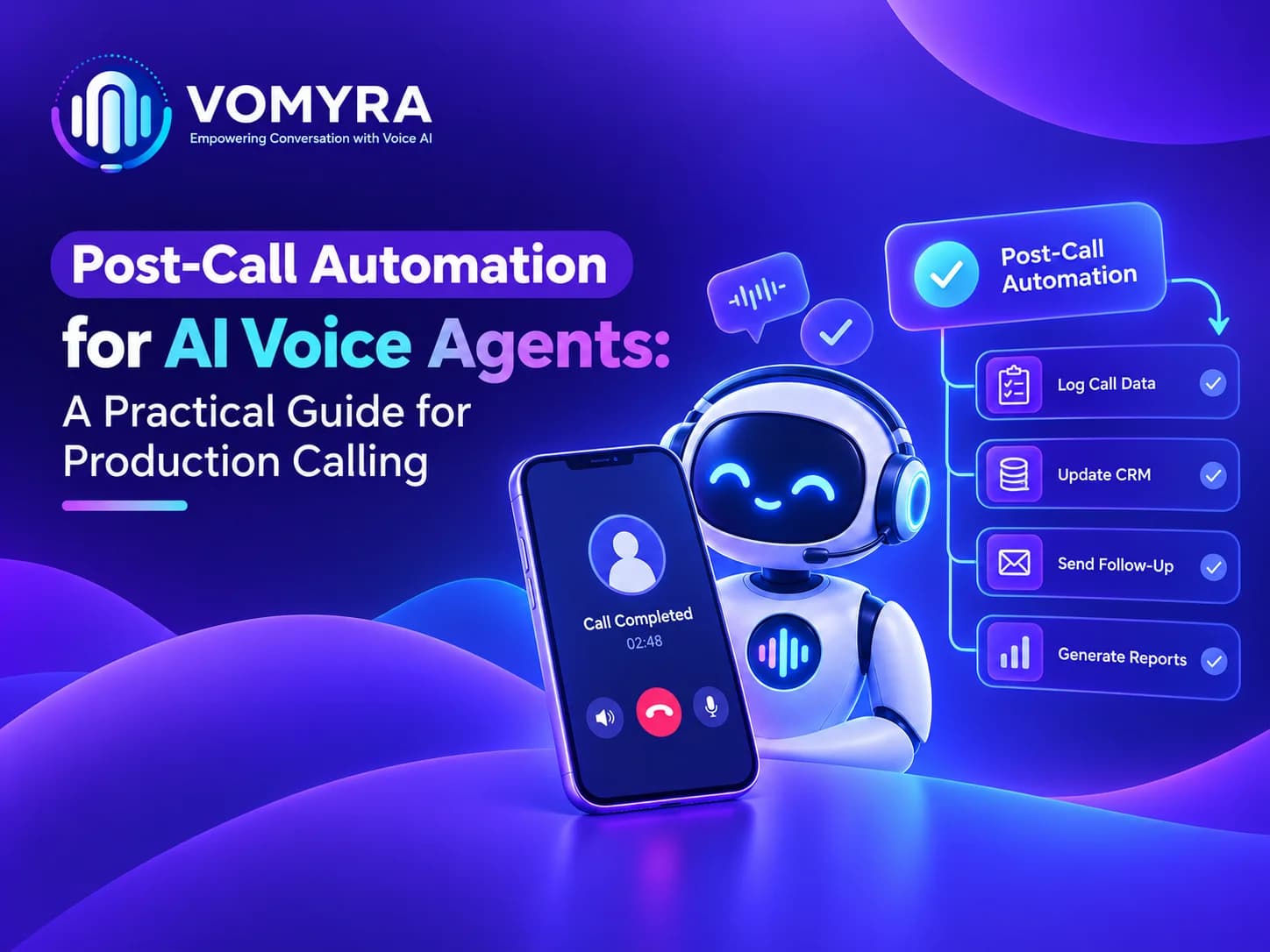
AI voice agents can handle customer conversations, qualify leads and answer routine questions. However, the work does not end when a call disconnects. Businesses still need to record call details, update customer records, assign follow-up tasks and decide what should happen next.
Post-call automation for AI voice agents helps businesses manage these activities without depending entirely on manual work. It turns information collected during a conversation into organised actions that sales, support and operations teams can use.
For companies running production calling campaigns, a well-designed post-call process can reduce administrative work, improve record accuracy and ensure that important customer enquiries receive timely attention.
What Is Post-Call Automation for AI Voice Agents?
Post-call automation is the process of performing specific tasks automatically after a voice conversation ends. Instead of asking employees to review recordings and enter information manually, the system processes available call data and triggers the next steps according to predefined rules.
For example, after speaking with a potential customer, an AI voice agent may generate a summary, identify the customer’s interest, update the CRM and schedule a follow-up.
The exact actions depend on the platform, available integrations and business requirements. Vomyra provides AI voice agent capabilities for business conversations, which can form part of a structured calling and follow-up workflow.
Why Post-Call Automation Matters in Production Calling
Production calling involves handling conversations at a scale where small operational problems can become significant. If employees must manually review every call, update records and assign tasks, the workload increases as call volume grows.
Reducing Manual Work After Every Call
A single conversation may produce several tasks, including recording the outcome, noting customer preferences and assigning the next action. Repeating these steps manually can slow down teams and create inconsistent records.
An AI voice agent post-call workflow can standardise these activities. Employees spend less time on repetitive administration and more time handling complex enquiries, negotiating with qualified leads and resolving customer concerns.
Preventing Lost Leads and Delayed Follow-Ups
A customer might request a product demonstration, ask for pricing or agree to another call. If this information is not recorded correctly, the sales team may miss an opportunity.
Post-call automation can help identify these outcomes and create follow-up tasks based on configured rules. This is particularly useful when several agents handle calls for the same campaign and customer information must remain accessible to the entire team.
Key Steps in an AI Voice Agent Post-Call Workflow
A reliable workflow should define what happens between call completion and the next business action. The following steps provide a practical starting point.
1. Generate a Call Summary
The first step is to turn a conversation into a concise record. An automated summary can capture the reason for the call, important customer questions, stated preferences and agreed next steps.
AI call summary and reporting makes these details easier to review without requiring employees to listen to every recording. The summary should reflect what the customer actually said rather than adding assumptions or unsupported information.
2. Classify the Call Outcome
Once the conversation is summarised, the system can assign an outcome based on the information collected.
Common outcomes include:
- Interested lead
- Follow-up required
- Appointment booked
- Not interested
- No answer
- Request for human assistance
Automated call disposition helps teams organise these results consistently. Businesses should define clear classification rules and allow uncertain outcomes to be reviewed instead of forcing every call into an inaccurate category.
3. Update CRM Records
Customer information is useful only when it reaches the systems employees use. Depending on the available integration, the workflow can update contact details, add call notes, record lead status and create follow-up activities.
Effective AI voice agent integration with CRM reduces duplicate data entry and helps sales representatives understand previous conversations before contacting a customer again.
The workflow should also check whether a customer record already exists. This helps prevent duplicate contacts and keeps campaign reporting more reliable.
4. Trigger Follow-Up Actions
The next step depends on the call outcome. An interested lead may need a sales callback, while a confirmed appointment may require a reminder. A customer who requests human assistance may need to be assigned to a support representative.
This stage connects call results with business processes. Follow-up messages, task creation and notifications should run only when the relevant conditions are met and the necessary permissions are in place.
5. Store and Validate Call Data
Reliable post-call data processing involves more than saving a transcript or summary. Systems should check that required fields are present, information is linked to the correct customer and failed updates are identified.
Businesses should also define access permissions, data retention periods and appropriate handling of recordings and personal information. Sensitive data should not be collected or stored unnecessarily.
AI Voice Agents vs Traditional Post-Call Processing
Traditional post-call processing relies heavily on employees to review conversations, update customer records and organise follow-ups. Automated workflows can handle many of these repetitive tasks, depending on the platform and its configuration.
| Feature | Traditional Post-Call Processing | Automated Post-Call Processing |
| Call summaries | Employees prepare summaries manually | Summaries can be generated automatically |
| Call outcome | Staff update the call status | Outcomes can be classified using predefined rules |
| CRM updates | Customer records are updated manually | Supported CRM fields can be updated automatically |
| Follow-up tasks | Employees create tasks themselves | Tasks can be triggered based on call outcomes |
| Call reporting | Reports require manual data collection | Call data can be organised for reporting |
| Error handling | Errors may be noticed late | Failed operations can be logged and flagged |
| Scalability | Workload increases with call volume | Automation can reduce repetitive work, depending on system capacity |
| Human involvement | Staff handle most post-call tasks | Staff focus on exceptions and tasks requiring judgement |
Post-call automation does not eliminate the need for human oversight. Businesses still need to verify important information, manage failed integrations and review uncertain call outcomes. The main benefit is that routine tasks can be completed more consistently, allowing teams to focus on customer relationships and business decisions.
How Post-Call Automation Improves Reporting
Call reporting helps businesses understand whether their campaigns are producing useful outcomes. Manual reports can become inconsistent when different employees use different labels or forget to record important details.
AI call summary and reporting can bring call outcomes, lead status and follow-up activity into a more consistent reporting process.
Useful metrics include:
- Total completed and unsuccessful calls
- Qualified leads generated
- Appointments booked
- Follow-up tasks completed
- Calls requiring human intervention
- CRM update failures
These metrics help managers identify where a workflow needs improvement. For example, a high number of calls marked as interested but few completed follow-ups may indicate a problem with task assignment or sales response time.
Reporting should distinguish between a task being triggered and its successful completion. A message request or CRM update is not proof that the action succeeded.
Common Challenges and How to Avoid Them
Post-call systems can fail when the workflow is designed without considering real production conditions.
Inaccurate Summaries and Classification
Background noise, unclear responses and unexpected questions can affect transcription and interpretation. Test the workflow with different call scenarios, review uncertain results and avoid allowing unverified information to trigger important decisions.
Failed Integrations
An API error or temporary CRM outage can prevent customer records from updating. Use error logging, controlled retries and alerts so failed operations can be identified and resolved.
Unnecessary Automation
Not every conversation requires the same follow-up. Configure separate rules for interested leads, existing customers, complaints and unsuccessful calls. Human review should remain available for sensitive or ambiguous situations.

Best Practices for Implementing Post-Call Automation
Before deploying a workflow across a full calling campaign, businesses should:
- Start with one clear use case, such as lead qualification.
- Define standard call outcomes and required CRM fields.
- Test summaries and disposition labels against actual conversations.
- Verify that integrations handle errors and duplicate events.
- Set appropriate privacy, access and data-retention controls.
- Monitor performance and update rules when business needs change.
Vomyra can be considered when evaluating AI voice automation for business calling workflows. Before implementation, businesses should confirm the specific integrations, reporting features and post-call actions supported by their chosen configuration.
Conclusion
Post-call automation for AI voice agents connects customer conversations with the actions that follow them. From call summaries and outcome classification to CRM updates and follow-up tasks, each step helps make production calling easier to manage.
A dependable AI voice agent post-call workflow needs accurate data, clear business rules, reliable integrations and proper error handling. Businesses that measure completed actions rather than simply counting automated tasks can build a more useful and accountable calling process.
With suitable configuration and monitoring, Vomyra can be part of a broader approach to business voice automation, helping teams organise calling workflows around their operational requirements.
FAQs
1. What is post-call automation for AI voice agents?
It is the process of automatically handling tasks after a call, such as creating summaries, recording outcomes, updating customer records and scheduling follow-ups.
2. How does automated call disposition work?
The system categorises a call using predefined outcomes, such as interested, not interested, appointment booked or follow-up required. Rules should allow uncertain results to be reviewed.
3. Can post-call automation update a CRM automatically?
Yes, when the voice platform supports the required CRM integration. It can update records, add notes and create tasks, subject to the available permissions and configuration.
4. What should businesses track after automated calls?
Useful measures include qualified leads, appointments, follow-up completion, failed CRM updates and calls requiring human assistance.
5. Is post-call automation suitable for large calling campaigns?
Yes, provided the system can handle the expected call volume and process results reliably. Businesses should test capacity, integration failures, data accuracy and privacy controls before scaling.