AI voice agents are becoming a practical way for businesses to handle customer calls, qualify leads, answer questions and manage routine tasks. But a voice agent needs more than a natural-sounding voice. It must understand what a person says, respond without long delays and keep track of the conversation.
This is where xAI can play an important role. Its Grok Voice API supports real-time speech-to-speech conversations, allowing developers to build voice applications that listen and respond through a live connection.
By connecting xAI with an AI voice agent, businesses can build more interactive customer experiences for phone calls, websites and other voice-based applications. In this guide, we will explain how the integration works, what components are required, and how businesses can use it in real-world workflows.
What Is xAI Integration with AI Voice Agents?
xAI integration with AI voice agents means using xAI’s Grok models and voice capabilities as part of a conversational voice system.
Traditionally, a voice agent may use separate services for speech-to-text, language processing and text-to-speech. The caller’s speech is first converted into text, sent to a language model, and then converted back into audio.
With xAI’s Speech-to-Speech API, developers can build a more direct real-time voice experience. The API supports bidirectional audio and text streaming over WebSocket, so an application can send audio to Grok and receive spoken responses through the same connection.
This makes it useful for applications where natural conversation and quick responses matter, including customer support, appointment booking and sales calls.
It is important to understand that the AI model is only one part of a complete voice agent. A production phone agent may also need telephony or SIP connectivity, call routing, business data, security controls and integrations with CRM or scheduling systems.
How Does xAI Work with an AI Voice Agent?
A real-time voice agent connects the caller, audio stream, AI model and business systems in one workflow.
For example, imagine a customer calling a company to ask about a product. The voice agent receives the caller’s audio, sends it to the configured voice model and returns a spoken response. If the customer wants to book a meeting, the agent can use a connected tool to check available slots and complete the request.
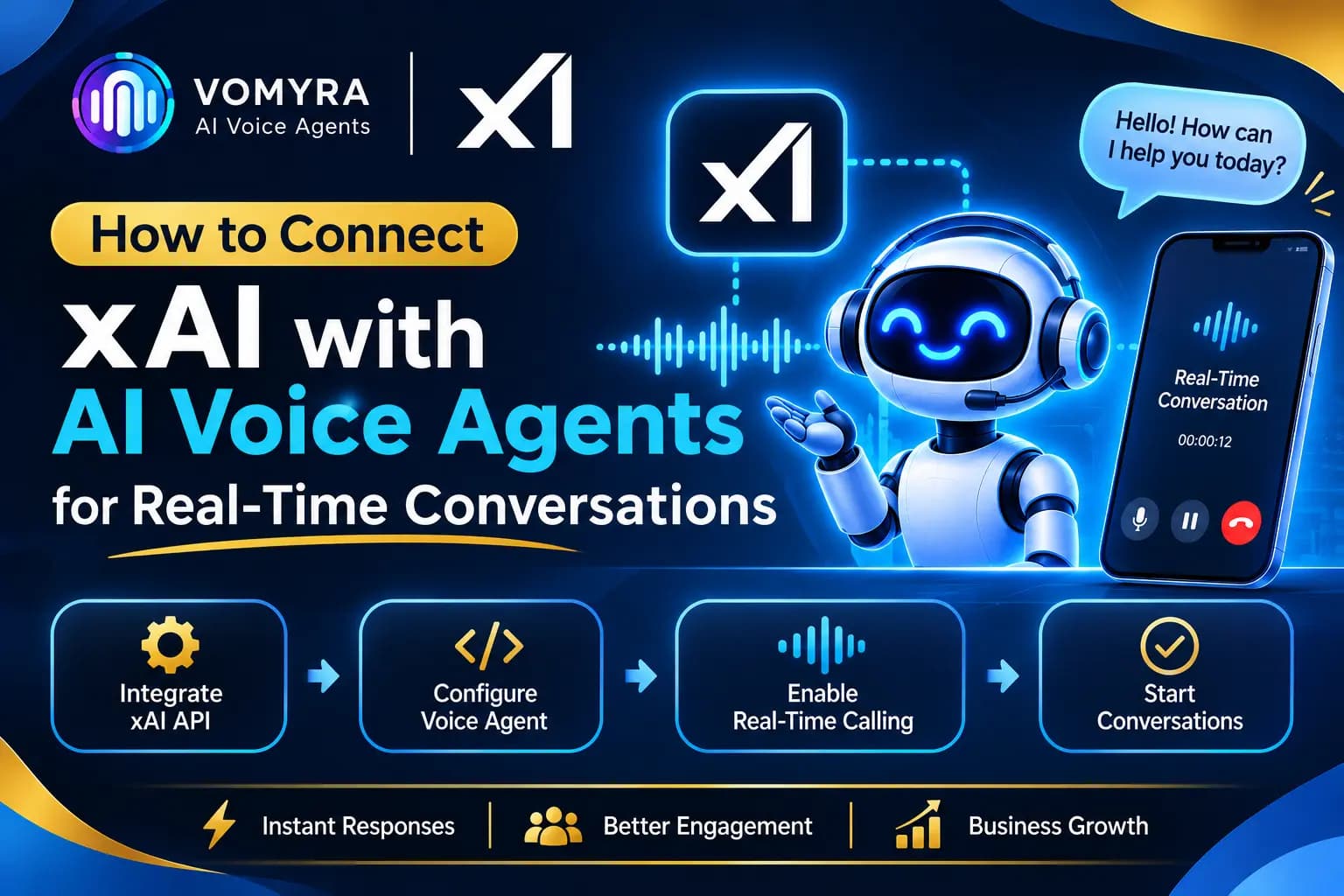
A typical workflow looks like this:
- Caller speaks: The user speaks through a phone call, browser or mobile application.
- Audio is streamed: The application sends the incoming audio to the xAI real-time API.
- Grok processes the conversation: The model interprets the user’s request and prepares a response.
- Audio response is returned: The application receives the generated speech and plays it to the user.
- Business tools are used when needed: The agent can request information or perform an action through configured tools and backend services.
- Conversation continues: The system maintains the session context so the user does not need to repeat every detail.
The goal is to avoid unnecessary delays between the caller finishing a sentence and the agent responding.
Key Components Required for xAI Voice Agent Integration
Before connecting xAI to a voice agent, it helps to understand the main components involved.
1. xAI API Access
You need access to the xAI API and a valid API key. The Speech-to-Speech API provides a real-time connection for voice applications.
The documented WebSocket endpoint is:
wss://api.x.ai/v1/realtime?model=grok-voice-latest
The grok-voice-latest alias currently points to Grok Voice 3.0. Developers can also use a versioned model name when they want to pin their application to a particular release.
2. WebSocket Connection
WebSocket provides the two-way communication channel between your application and the voice API. It allows audio and conversation events to move between the client and xAI without repeatedly creating separate requests.
For server-side applications, the API key can be supplied through the authorization header. For browser or mobile clients, xAI recommends using short-lived ephemeral tokens rather than exposing a permanent API key.
3. Audio Input and Output
The voice application needs to capture the caller’s audio and send it in a format supported by the API. It must also receive and play the model’s audio response.
The API supports audio formats such as PCM, PCMU, PCMA and Opus. The right format depends on the device, network and telephony system being used.
4. Conversation Instructions
A voice agent needs clear instructions about its role, tone, responsibilities and limitations.
For example, a customer support agent should know which questions it can answer, what information it can request and when it should transfer a conversation to a human representative.
5. Telephony and Business Integrations
If the agent will handle actual phone calls, you also need a suitable telephony or SIP connection. For business workflows, you may connect the agent to a CRM, calendar, helpdesk, payment system or internal API.
These integrations allow the voice agent to do more than answer questions.
How to Connect xAI with AI Voice Agents: Step-by-Step
The exact implementation depends on whether you are building a browser-based assistant, mobile voice application or phone agent. The following steps explain the general setup using xAI’s real-time Speech-to-Speech API.
Step 1: Create an xAI API Key
Start by creating an account in the xAI developer console and generating an API key.
Store the key securely in your server environment. Avoid placing permanent API credentials in public JavaScript code, mobile applications or browser-visible files.
Your backend will use this credential to establish an authenticated connection with the real-time API.
Step 2: Establish the WebSocket Connection
Create a WebSocket connection to the xAI real-time endpoint using the selected voice model.
Once the connection opens, your application can exchange events with the API. These events carry session settings, conversation messages, incoming audio and generated responses.
For example, a basic JavaScript connection from a server-side application can look like this:
import WebSocket from “ws”;
const ws = new WebSocket(
“wss://api.x.ai/v1/realtime?model=grok-voice-latest”,
{
headers: {
Authorization: `Bearer ${process.env.XAI_API_KEY}`
}
}
);
ws.on(“open”, () => {
console.log(“Connected to xAI Voice API”);
});
ws.on(“message”, (data) => {
const event = JSON.parse(data.toString());
console.log(“Received event:”, event.type);
});
ws.on(“error”, (error) => {
console.error(“WebSocket error:”, error);
});
This example demonstrates the connection and event handling. A complete voice application must also configure the session, send audio, process incoming audio events and manage the conversation lifecycle.
Step 3: Configure the Voice Session
After connecting, send a session update with the agent’s instructions, selected voice and turn-detection settings.
For example:
ws.send(JSON.stringify({
type: “session.update”,
session: {
voice: “eve”,
instructions:
“You are a helpful customer support assistant. Give clear and concise answers.”,
turn_detection: {
type: “server_vad”
}
}
}));
Here, server_vad enables server-side voice activity detection. This helps the system identify when the caller has finished speaking and when it should prepare a response.
You can adjust the instructions to suit the business, whether the agent handles product enquiries, customer support or appointment requests.
Step 4: Send Audio and Receive Responses
Once the session is configured, the application can capture microphone or call audio and send it to the API using the supported audio events.
The API returns conversation events that may contain generated audio, text and response status information. Your application must process these events and play the audio to the caller.
For a smooth experience, handle partial audio responses rather than waiting for an entire response to finish before starting playback.
Step 5: Connect Business Tools
A voice agent becomes more useful when it can access accurate business information and perform specific actions.
For example, you can define tools for:
- Checking product availability
- Retrieving customer details
- Booking appointments
- Updating CRM records
- Creating support tickets
- Sending confirmation messages
xAI’s voice session supports configured tools, including function tools and MCP tools. When the model requests a function, your application or backend must execute it and return the result.
Keep access controlled. The agent should only perform actions that are explicitly allowed, and sensitive operations should include suitable validation.
Step 6: Connect Telephony for Phone Calls
For a phone-based AI voice agent, connect the application to a telephony or SIP system that can route calls and exchange audio with your voice application.
The integration must account for audio formats, sample rates, buffering, interruptions and call events. A browser-based voice assistant and a telephone agent may use different audio configurations, so test the complete call path rather than assuming that a working microphone demo is ready for production.
Step 7: Test Real Conversations
Test the agent with realistic conversations before deploying it to customers.
Include situations where callers speak quickly, change their minds, interrupt the agent, ask unclear questions or request a human representative. Also test what happens when a connected API is unavailable or returns incomplete information.
Review call recordings or transcripts where permitted, measure response delays and improve the instructions based on actual results.
Benefits of Connecting xAI with AI Voice Agents

More Natural Voice Conversations
Speech-to-speech processing supports a direct conversational experience. Instead of treating every interaction like a separate question and answer, the system can maintain a live session with the user.
Faster Responses
Real-time audio streaming helps reduce unnecessary waiting between the caller’s speech and the agent’s response. Actual performance still depends on network quality, audio processing, backend tools and the overall application architecture.
Better Customer Support Availability
Businesses can use voice agents to handle routine questions, collect customer details and provide basic assistance outside regular working hours.
Automated Lead Qualification
A voice agent can ask potential customers about their requirements, budget, location or preferred service. It can then pass qualified leads to the sales team with the relevant conversation details.
Integration with Business Workflows
With properly configured tools, the agent can retrieve records, schedule appointments and update connected systems during a conversation. This reduces manual work and helps keep customer information organised.
Practical Use Cases of xAI-Powered Voice Agents
Customer support: Answer common questions about products, services, orders and business policies. Complex issues can be transferred to a human support representative.
Sales and lead qualification: Contact new enquiries, understand customer requirements and identify which leads are ready for a sales conversation.
Appointment scheduling: Check available time slots, collect booking details and send confirmations through connected systems.
Real estate enquiries: Ask about property preferences, budget, location and buying timelines before routing a prospect to the right sales representative.
Payment and order support: Help customers check order information or understand payment status through authorised business tools.
Customer follow-ups: Contact customers after an enquiry, appointment or service interaction and record their responses in the CRM.
Best Practices for Building Real-Time xAI Voice Agents
A successful voice agent needs more than a working API connection. The following practices can improve reliability and the overall caller experience.
- Keep instructions specific: Define the agent’s role, speaking style, allowed actions and escalation rules clearly.
- Reduce response delays: Use streaming audio and efficient backend services. Avoid unnecessary processing between the caller and the model.
- Handle interruptions: Test whether the agent stops speaking when a caller starts talking and resumes with the right context.
- Protect API credentials: Keep permanent keys on the server and use short-lived tokens for supported client-side connections.
- Validate tool actions: Confirm important details before booking, updating records or triggering payments.
- Plan for failures: Provide a fallback response when the API, network or business integration becomes unavailable.
- Monitor call quality: Track response times, incomplete requests, tool failures and human handovers.
- Follow calling and privacy rules: Obtain appropriate consent, protect customer information and follow applicable telecom and data-protection requirements.
How Vomyra Helps Businesses Use xAI Voice Agents
Building a production-ready voice agent from scratch involves several moving parts. Developers need to manage the voice model, audio streaming, telephony, conversation instructions, business integrations and call operations.
Vomyra brings these components together in an agentic voice AI platform. Its website lists xAI Grok among the voice models already live in production, alongside options such as AWS Nova 2 Sonic, OpenAI GPT Realtime, Azure Voice Live, Cartesia and ElevenLabs.
Businesses can use Vomyra to build voice agents for sales, customer support, lead qualification, follow-ups and other calling workflows. The platform also supports integrations through REST APIs, MCP, webhooks and SIP trunking, allowing agents to work with existing business systems.
For example, a sales team can use a voice agent to contact new enquiries, understand their requirements, schedule meetings and update CRM records. A support team can use an agent to answer routine questions and route more complex requests to the right person.
Vomyra also gives businesses a way to work with different voice models from one platform instead of managing every part of the voice stack separately. This can make it easier to test different models and choose an approach that suits the business workflow.
Businesses interested in using xAI-powered voice conversations can visit Vomyra to learn more about its AI voice agent platform and available integrations.
Read More: Openai Gpt Realtime for AI Voice Agents: Practical Guide for Production Calling
Conclusion
Connecting xAI with AI voice agents can help developers create real-time voice applications that listen, understand and respond naturally. Its Speech-to-Speech API provides a WebSocket-based approach for streaming audio and text, while configured tools can connect conversations with business systems.
However, a reliable voice agent requires more than model access. Audio handling, telephony, security, response timing, tool validation and human handover all matter when moving from a basic demo to real customer calls.
For businesses that want to use voice automation without managing every technical layer independently, platforms such as Vomyra provide an integrated way to deploy and manage AI voice agents.
Frequently Asked Questions
1. Can xAI be integrated with AI voice agents?
Yes. xAI provides a real-time Speech-to-Speech API that developers can connect to voice applications using WebSocket. It supports bidirectional audio and text streaming for conversational experiences.
2. Which xAI model is used for real-time voice conversations?
The xAI Speech-to-Speech API currently uses grok-voice-latest, which points to Grok Voice 3.0. Developers can also select the versioned model name when they need to pin a specific release.
3. Does xAI support real-time audio streaming?
Yes. The Speech-to-Speech API supports two-way audio and text streaming through WebSocket connections. Applications can send audio input and receive generated audio and text events.
4. Can an xAI voice agent make phone calls?
Yes, a phone-based voice agent can be built by connecting the voice application to a compatible telephony or SIP system. The telephony layer manages the phone call, while the voice API handles the conversational interaction.
5. Can xAI-powered voice agents connect with CRM systems?
Yes. Developers can configure function tools or other backend integrations to retrieve customer information, update CRM records and trigger business workflows. Access should be controlled and actions validated.
6. Does Vomyra support xAI Grok for voice agents?
Vomyra lists xAI Grok as a voice integration that is live in production on its platform. Businesses can explore its available voice models, calling capabilities and integrations through the Vomyra website.