AI voice agents are changing how businesses communicate with customers. From handling sales enquiries and booking appointments to providing customer support and managing follow-ups, voice automation helps businesses manage conversations without depending entirely on manual calling teams.
OpenAI models can make these interactions more intelligent by helping voice agents understand customer questions, interpret intent and generate relevant responses. When integrated with a voice agent platform, OpenAI can support natural conversations, business-specific workflows and connections with external applications.
Integrating OpenAI with AI voice agents allows businesses to combine conversational intelligence with calling capabilities. Instead of relying on fixed scripts or traditional IVR menus, companies can build voice workflows that understand spoken requests and respond according to the context of each conversation.
This guide explains how OpenAI integration works, the available setup approaches, practical business use cases and the benefits of connecting OpenAI with AI voice agents.
What Is OpenAI Integration with AI Voice Agents?
OpenAI integration connects AI models and APIs with a voice agent system to improve how it understands and responds to spoken conversations.
A typical AI voice agent combines several technologies, including speech processing, conversational intelligence, voice generation and telephony connectivity. OpenAI can provide the intelligence layer that processes customer input, understands the request and generates an appropriate response.
Depending on the architecture, developers can use OpenAI’s Realtime API for speech-to-speech conversations or combine separate speech recognition, language processing and speech generation services.
With this integration, an AI voice agent can:
- Understand customer questions in natural language.
- Respond according to the conversation context.
- Handle frequently asked questions.
- Collect customer requirements.
- Connect with external tools and business applications.
- Trigger approved actions through function calling.
- Transfer complex conversations to human representatives.
The exact capabilities depend on the selected OpenAI model, voice platform, integrations and workflow configuration.
How OpenAI and AI Voice Agents Work Together
OpenAI provides conversational intelligence, while the voice agent platform manages the calling experience and business workflow. Together, they create a system that can listen, understand, respond and take approved actions.
A typical conversation follows this process:
- Customer speaks: The customer asks a question or shares a requirement during a phone call.
- Audio processing: The voice system receives the customer’s speech and processes the audio.
- AI understanding: The OpenAI model interprets the request and identifies the customer’s intent.
- Response generation: The model prepares a relevant response using the conversation context and available information.
- Voice response: The voice system converts or streams the response as spoken audio.
- Action execution: If required, the agent can use connected tools to retrieve information, update records or trigger an approved workflow.
- Conversation continues: The agent responds to the customer and follows the conversation until completion or human handover.
This approach makes conversational AI voice agents more flexible than systems that depend only on predefined voice menus.
Methods to Integrate OpenAI with AI Voice Agents
There are different ways to connect OpenAI with a voice agent. The right approach depends on the required response speed, infrastructure, telephony setup and level of control.
1. OpenAI Realtime API Integration
OpenAI’s Realtime API supports speech-to-speech interactions. It allows an application to send audio to a model and receive audio responses within a conversational session.
This approach is useful when businesses need natural turn-taking, low-latency responses and interruption handling.
A typical implementation includes:
- Creating a Realtime session.
- Configuring the model and conversation instructions.
- Establishing an audio connection through WebRTC or WebSocket.
- Sending customer audio to the session.
- Receiving generated audio responses.
- Connecting tools for additional business operations.
For browser-based applications, WebRTC is a common connection approach. WebSocket is also supported for server-side integrations where developers need more direct control over audio and events.
OpenAI’s current documentation recommends starting with GPT-Live for new conversational voice applications, while the Realtime API remains useful when developers need its specific session and tool model. (Source: OpenAI Audio and Voice Documentation.)
2. Speech-to-Text, Language Model and Text-to-Speech Integration
Another approach uses separate services for different stages of a conversation.
In this architecture, the system first converts customer speech into text. The text is then processed by an OpenAI model, which generates a response. Finally, a speech generation service converts that response into audio.
The workflow looks like this:
Customer Speech → Speech Recognition → OpenAI Model → Response Generation → Text-to-Speech → Customer
This approach provides flexibility because developers can select separate providers for speech recognition, language processing and voice generation.
For example, a business may use a speech recognition service to capture customer questions, OpenAI for response generation and a dedicated voice provider for spoken output.
It can be useful when a business already has an existing voice infrastructure or needs separate control over each component.
3. OpenAI Function Calling for Business Automation
Function calling allows an OpenAI model to request specific actions from an application. The application then executes the relevant function and returns the result to the model.
For AI voice agents, this can connect conversations with real business operations.
For example, when a customer asks to schedule an appointment, the agent can request an appointment-booking function. The backend checks availability, creates the booking if authorised and returns the result.
Other possible functions include:
- Retrieving customer information.
- Checking order or application status.
- Creating CRM records.
- Scheduling appointments.
- Generating support tickets.
- Recording customer follow-up requests.
OpenAI’s function-calling documentation explains this as a multi-step process in which the model requests a tool, the application executes it and the result is returned to the model.
Read Also: How AI Voice Agents in Regional Indian Languages Handle Customer Calls
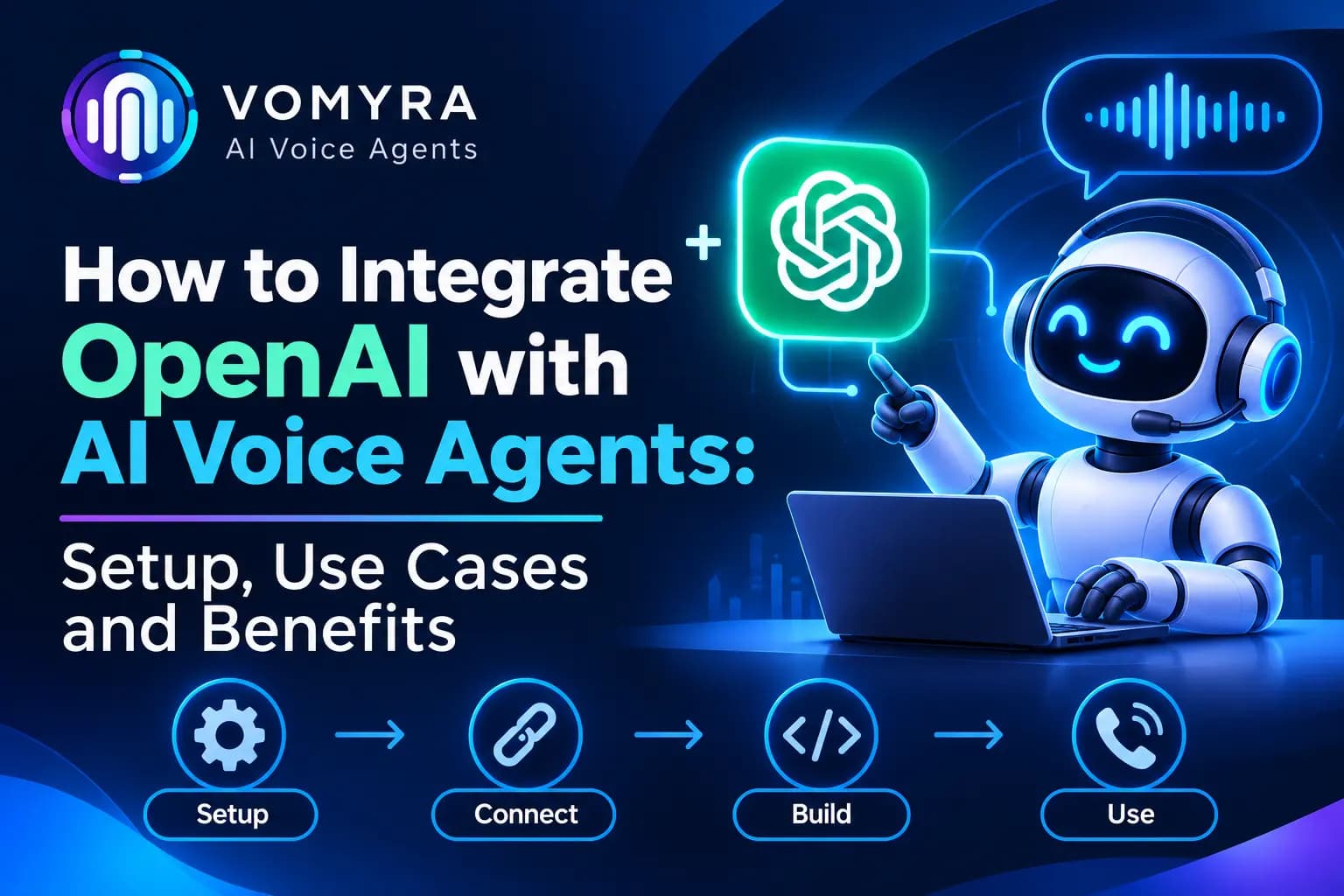
Step-by-Step Setup: OpenAI Integration with an AI Voice Agent
A successful integration requires more than connecting an API key. Developers should configure the conversation, audio connection, business tools and security controls together.
Step 1: Set Up OpenAI API Access
Create an OpenAI API project and configure the required API access. Select the appropriate model and voice architecture based on the application’s requirements.
Keep API credentials in a secure backend environment. Never expose a permanent API key in public website code or an untrusted client application.
Step 2: Select the Voice Agent Platform
Choose a voice agent platform that supports the required OpenAI integration and calling infrastructure.
Check its available connection options, telephony providers, supported models, voice settings and integration capabilities before starting implementation.
Step 3: Configure the Conversation Instructions
Define how the voice agent should behave during customer conversations.
Instructions should cover its role, communication style, business information, response boundaries and escalation conditions.
For example, a customer support agent should answer only from approved company information and transfer complex complaints to a human representative.
Step 4: Connect Audio Input and Output
Configure the audio connection according to the selected architecture.
With a Realtime setup, developers can establish the required session and audio transport. With a chained workflow, they must connect speech recognition, OpenAI response generation and speech output.
Test audio quality, response timing, interruptions and conversation handling before deploying the agent.
Step 5: Add Functions and External Integrations
Connect the agent with relevant business applications through approved APIs or function tools.
For example, a sales agent may need access to CRM records, while an appointment assistant may require a scheduling integration.
Give each function a clearly defined purpose and restrict its permissions to the actions required for the workflow.
Step 6: Test and Deploy the Voice Agent
Test the agent with different customer questions, accents, background noise and unexpected responses.
Check whether it understands the request, gives accurate information, handles interruptions and transfers conversations when necessary.
After successful testing, deploy the workflow and monitor its performance regularly.
Practical Use Cases of OpenAI-Powered AI Voice Agents
1. Sales and Lead Qualification
Businesses can use OpenAI-powered voice agents to contact new leads, understand their requirements and identify purchase interest.
The agent can ask relevant questions, collect customer preferences and update the connected CRM. Interested prospects can then be transferred to a sales representative or scheduled for a follow-up.
2. Customer Support Automation
Customer support teams receive repeated questions about products, services, orders and account-related processes.
An AI voice agent can understand these questions and respond using approved knowledge sources. More complicated requests can be escalated to human support employees.
3. Appointment Scheduling
Healthcare providers, consultants, educational institutions and service businesses can use voice agents to manage appointment requests.
The agent can ask customers about their preferred time, check availability through a connected scheduling tool and confirm a booking when supported by the integration.
4. E-commerce Order Updates
Online businesses can use AI calling agents to answer order-related questions, provide permitted delivery updates and assist with basic customer requests.
When connected to order management systems, the agent can retrieve relevant information rather than relying on static responses.
5. Automated Follow-Up Calls
Businesses often need to contact customers after enquiries, product demonstrations, service requests or incomplete applications.
An OpenAI-powered voice agent can conduct follow-up conversations, capture customer responses and record the next action in a connected system.
Benefits of Integrating OpenAI with AI Voice Agents
More Natural Conversations
OpenAI models can help voice agents understand natural-language questions and generate context-aware responses. This creates a more flexible experience than traditional menu-based calling systems.
Better Customer Query Handling
A connected AI voice agent can handle a wide range of routine questions without requiring a separate fixed script for every possible customer response.
Automated Business Workflows
With function calling and API integrations, agents can do more than speak. They can retrieve approved information, update records and trigger specific business processes.
Reduced Manual Calling Work
Automating repetitive conversations allows employees to spend more time on complex enquiries, sales discussions and customer issues that need personal attention.
Flexible Integration Options
Businesses can choose a Realtime speech-to-speech architecture or a combination of separate speech and language services, depending on their technical requirements.
Improved Workflow Consistency
Clearly defined instructions, approved information sources and structured functions help businesses maintain consistent customer communication.
Best Practices for OpenAI Voice Agent Integration
Protect API Keys and Customer Information
Keep permanent API credentials on trusted servers. Use secure authentication, restricted permissions and appropriate data retention controls.
For browser-based Realtime applications, use server-created ephemeral credentials rather than exposing permanent API keys to the client.
Use Clear Conversation Instructions
Define what the agent can answer, which tools it can use and when it must transfer the conversation. This helps prevent unsupported responses and unnecessary actions.
Set Function Permissions Carefully
Do not allow an AI agent to perform every available business action. Restrict each function to the specific operations required and validate its inputs on the backend.
Provide Human Handover
Customers should be able to reach a human representative when a conversation becomes complex, sensitive or unresolved.
Monitor Performance Regularly
Review conversation quality, response accuracy, call completion, escalation rates and customer feedback. Use these findings to improve instructions and workflows.
How Vomyra Supports OpenAI Integration for AI Voice Agents

Businesses looking to combine conversational intelligence with voice automation need a platform that supports their selected AI models and calling workflows.
Vomyra provides an integration environment that includes OpenAI among its listed model and voice options. This allows businesses and developers to consider OpenAI as part of their voice agent configuration, depending on the supported integration setup.
By combining AI models, telephony connections and business integrations, teams can build workflows for lead qualification, customer support, appointment scheduling and automated follow-ups.
The right configuration depends on the required voice architecture, model capabilities, telephony provider and external application connections. Businesses should verify the available options and test the complete workflow before production deployment.
Conclusion
Integrating OpenAI with AI voice agents helps businesses build more flexible and intelligent calling workflows. From understanding customer questions and generating natural responses to connecting external tools and automating routine tasks, this combination can support a wide range of business operations.
Businesses can choose OpenAI’s Realtime approach for speech-to-speech conversations or use a separate speech recognition, language processing and voice generation pipeline. Function calling can further connect conversations with CRM platforms, scheduling systems and other applications.
With secure API handling, clear instructions, proper testing and human escalation, OpenAI integration with AI voice agents can become a practical part of modern customer communication and business automation.
Read More:AI Voice Agents for Agencies: Use Cases, Workflows and Best Practices
Frequently Asked Questions
1. Can OpenAI be integrated with AI voice agents?
Yes. OpenAI models and APIs can be integrated with voice agent systems to understand spoken requests, generate responses and support conversational workflows. The implementation depends on the selected API, voice platform and architecture.
2. What is the OpenAI Realtime API used for in voice agents?
The Realtime API supports speech-to-speech conversations and provides capabilities for handling audio, conversation sessions, interruptions and tool interactions. It is useful for applications that require responsive voice communication.
3. Can OpenAI voice agents connect with CRM platforms?
Yes. Developers can use function calling and APIs to connect voice agents with CRM systems. This can allow agents to retrieve permitted information, create lead records and update customer interaction details.
4. What is the difference between speech-to-speech and a chained voice workflow?
Speech-to-speech processes audio directly through a conversational voice model. A chained workflow uses separate stages for speech recognition, language model processing and speech generation. The best choice depends on latency, flexibility and technical requirements.
5. Is OpenAI integration suitable for business calling automation?
Yes. It can support use cases such as lead qualification, customer support, appointment scheduling, order updates and follow-up calls. Businesses should configure suitable permissions, security controls and human escalation before deployment.