Businesses use automated calling to handle customer enquiries, follow up with leads, schedule appointments and provide basic support. However, traditional automated calling systems often depend on fixed menus and recorded messages. Customers may find these interactions limiting when they need answers to specific questions.
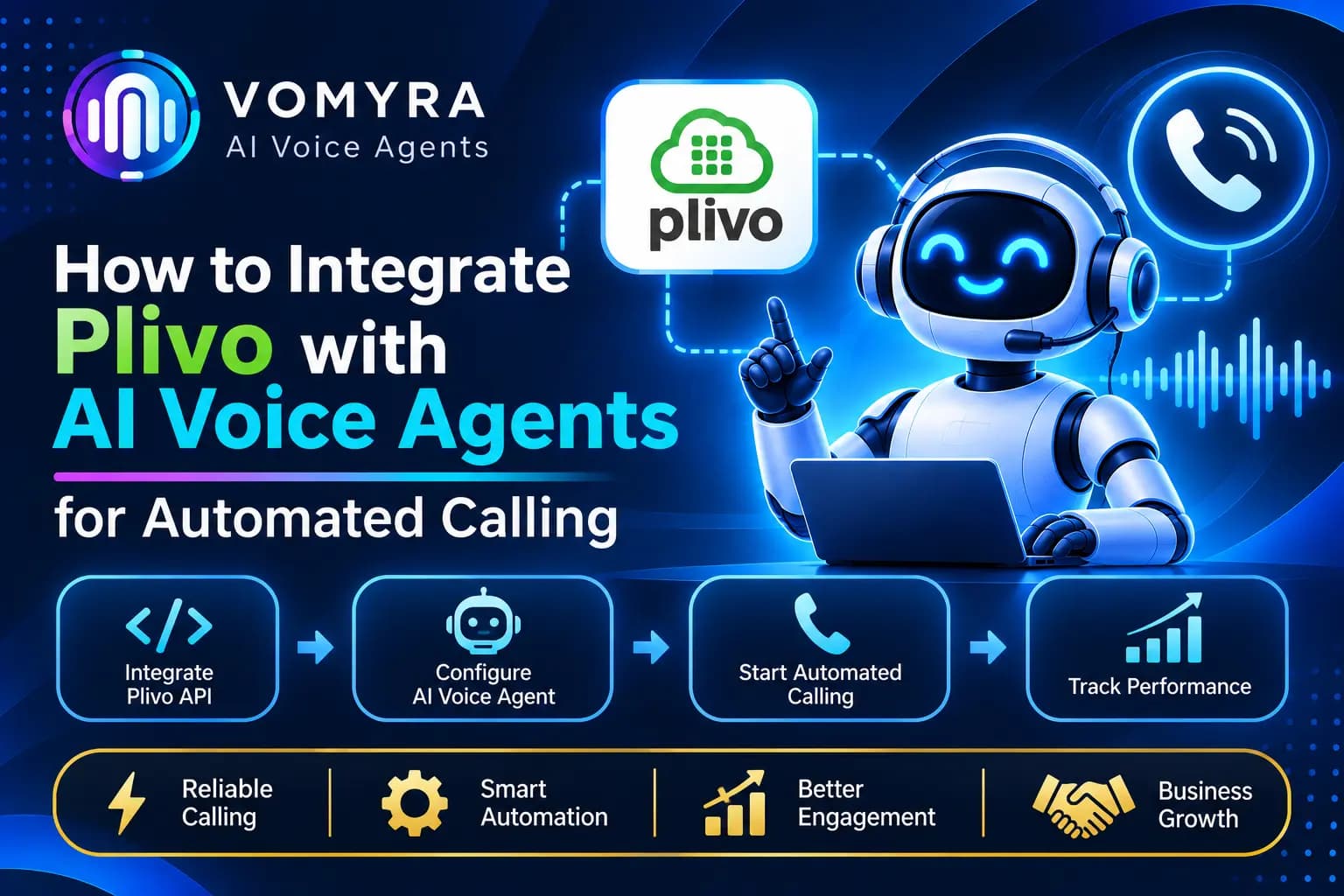
AI voice agents offer a more conversational approach. They can understand spoken responses, answer questions and perform configured tasks during phone calls. By integrating Plivo with an AI voice agent, businesses can connect their phone systems with speech recognition, language models and text-to-speech services.
This guide explains how Plivo integration works, the components required, setup steps, practical use cases and best practices for building automated calling workflows.
What Is Plivo Integration with AI Voice Agents?
Plivo is a cloud communications platform that provides voice APIs and telephony infrastructure for making and receiving phone calls. Its Audio Streaming feature allows developers to stream live call audio to an application through a WebSocket connection.
When integrated with an AI voice agent, Plivo handles the phone connection while the application processes the conversation using AI services.
A typical integration includes:
- Plivo Voice API: Initiates and manages incoming and outgoing calls.
- Audio Streaming: Sends live call audio to the application over WebSockets.
- Speech-to-Text (STT): Converts the caller’s speech into text.
- Large Language Model (LLM): Understands the request and generates a response.
- Text-to-Speech (TTS): Converts the response into spoken audio.
- CRM or backend system: Stores customer details and performs business actions.
These components work together to create an automated calling system that can manage conversations instead of simply playing recorded messages.
How Plivo and AI Voice Agents Work Together
The integration uses Plivo’s Voice API and bidirectional Audio Streaming to connect phone calls with an AI processing pipeline.
1. A Customer Makes or Receives a Call
A customer calls a Plivo-enabled business number, or the business initiates an outbound call through the Plivo API.
2. Plivo Connects the Call to the Application
Plivo executes the configured call instructions and opens a WebSocket connection with the application’s audio server.
3. Customer Audio Reaches the AI System
The application receives audio data from the caller and sends it to a speech recognition service. The service converts the spoken message into text.
4. The AI Agent Generates a Response
The transcribed message is passed to an LLM along with the agent’s instructions and relevant conversation history. The model identifies the customer’s intent and generates a suitable response.
5. The Response Is Converted into Speech
A TTS service converts the generated text into audio. The application then sends the audio back through the bidirectional WebSocket connection.
6. The Conversation Continues
The caller hears the AI-generated response and can continue speaking. The system repeats the process until the call ends or the conversation is transferred to a human representative.
Key Plivo Features for AI Voice Agent Integration
Voice API for Automated Calling
Plivo’s Voice API allows applications to initiate outbound calls and handle incoming calls. Developers can use call instructions to control how calls are answered and processed.
Bidirectional Audio Streaming
Plivo’s Audio Streaming feature supports two-way audio communication through WebSockets. The application can receive customer audio and send generated audio back to the caller.
For conversational AI applications, the Stream configuration can use bidirectional=”true” and keepCallAlive=”true” to maintain the call while the audio stream is active.
Plivo XML for Call Control
Plivo XML defines how a call should behave. Developers can use the <Stream> element to connect an active call to a WebSocket endpoint.
Status Callbacks
Status callbacks help applications monitor streaming events, including successful connections, stream termination and failures. These events are useful for troubleshooting and call monitoring.
Step-by-Step Guide to Integrate Plivo with AI Voice Agents
Step 1: Create a Plivo Account
Create a Plivo account and access the developer console. You will need:
- Plivo Auth ID
- Plivo Auth Token
- A voice-enabled Plivo phone number
- A configured Voice application
For Indian numbers, additional KYC requirements may apply.
Step 2: Set Up Your AI Voice Agent
Choose the AI components required for your application. These may include:
- An STT provider for speech recognition.
- An LLM for understanding requests and generating responses.
- A TTS provider for producing spoken replies.
You can select providers according to language support, voice quality, response speed and integration requirements.
Step 3: Create a WebSocket Server
Your application needs a publicly accessible WebSocket endpoint to receive audio from Plivo.
For example:
wss://yourdomain.com/voice-agent
The server should handle incoming stream connections, process audio events and send generated audio back to Plivo.
During development, a tunnelling service can expose a local server for testing. Production applications should use a secure, publicly accessible WebSocket endpoint.
Step 4: Configure Plivo Audio Streaming
Create a Plivo XML response that connects the active call to your WebSocket server.
A simplified configuration looks like this:
<?xml version=”1.0″ encoding=”UTF-8″?>
<Response>
<Stream
bidirectional=”true”
keepCallAlive=”true”
contentType=”audio/x-mulaw;rate=8000″>
wss://yourdomain.com/voice-agent
</Stream>
</Response>
This configuration enables two-way audio streaming. Your application must be able to process the incoming audio format and return audio in a supported format.
Step 5: Process Incoming Audio
When the WebSocket connection starts, your application receives stream events containing call information and audio data.
The application should:
- Detect the stream start event.
- Read incoming media events.
- Decode the audio payload.
- Send audio to the STT service.
- Process the transcript using the AI model.
- Convert the generated response into audio.
Step 6: Send AI-Generated Audio to Plivo
After generating the response, encode the audio payload in the required format and send it through the WebSocket using Plivo’s supported audio event structure.
Make sure the audio codec and sample rate match the stream configuration.
Step 7: Test Automated Calling
Test incoming and outgoing calls, speech recognition, response quality, interruptions, audio playback and call termination.
Also verify that the application handles network failures and unavailable AI services without leaving callers connected to a silent or unresponsive system.
Practical Use Cases of Plivo Integration with AI Voice Agents
1. Automated Lead Qualification
Businesses can use Plivo-powered AI voice agents to contact new enquiries and understand customer requirements. The agent can ask questions about budget, location, product interest and purchase timeline.
Qualified leads can then be passed to sales representatives through a connected CRM.
2. Customer Support Automation
AI voice agents can answer common questions about products, services, order status and business processes. Complex issues can be transferred to human support teams.
3. Appointment Scheduling
Healthcare providers, consulting firms and service businesses can automate appointment-related calls. The agent can collect preferred dates and check available slots through a connected scheduling application.
4. Payment and Service Reminders
Businesses can configure automated reminder calls for eligible customers. The agent can communicate approved reminder information and record the customer’s response.
5. CRM Follow-Ups
Sales teams can use automated calling workflows to reconnect with inactive leads, follow up on previous enquiries and update customer records after conversations.
6. Outbound Sales Campaigns
Businesses can initiate approved outbound calling campaigns using predefined customer segments. AI voice agents can introduce the offering, identify interest and route suitable prospects to sales representatives.
Benefits of Integrating Plivo with AI Voice Agents
Automated calling: Businesses can initiate and manage calls through APIs instead of depending entirely on manual dialling.
Natural conversations: Connecting speech recognition, an LLM and TTS allows agents to respond to spoken customer questions.
Flexible integrations: Plivo can work alongside different AI models, speech services, CRMs and backend applications.
Reduced repetitive work: Routine enquiries, reminders and initial qualification calls can be handled through configured workflows.
Scalable communication: Businesses can build calling workflows for larger customer volumes, subject to telephony capacity, API limits and application resources.
Better call management: Call events, conversation summaries and customer responses can be stored in connected business systems.
Best Practices for Production Calling
Optimise Audio Quality and Response Time
Use suitable audio formats and sample rates throughout the pipeline. Reduce unnecessary processing steps and use streaming responses where supported to avoid long pauses.
Handle Interruptions Properly
Customers may start speaking while the agent is responding. Your application should support interruption handling, stop unnecessary audio playback and process the caller’s latest message.
Secure API Credentials
Store Plivo credentials and AI provider keys in secure environment variables or a secrets management system. Validate incoming requests and protect WebSocket endpoints.
Provide Human Handover
Allow customers to reach a human representative when they request assistance or have questions outside the agent’s capabilities.
Monitor Call Performance
Track call completion, audio quality, transcription accuracy, response delays, failed connections and successful task completion.
Follow Calling and Privacy Requirements
Respect consent, calling preferences, data protection requirements and applicable telemarketing regulations. Use appropriate disclosure and recording practices where required.
How Vomyra Supports AI Voice Agent Workflows

Vomyra provides an AI voice agent platform for businesses looking to automate customer conversations and calling activities. Plivo can serve as the telephony and audio streaming layer in a compatible voice application architecture.
By connecting calling infrastructure with AI conversation workflows and business systems, companies can build solutions for lead qualification, customer support, appointment scheduling and follow-ups.
The exact setup depends on the selected integrations, AI providers, calling requirements and available platform capabilities.
Conclusion
Integrating Plivo with AI voice agents allows businesses to connect phone calls with conversational AI workflows. Plivo manages call connectivity and audio streaming, while speech recognition, language models and text-to-speech services handle the conversation.
With the right architecture, businesses can automate customer support, lead qualification, reminders and follow-up calls. Secure integrations, reliable audio processing, human handover and continuous monitoring are important for building a production-ready automated calling system.
Frequently Asked Questions
1. Can Plivo integrate with AI voice agents?
Yes. Plivo supports real-time Audio Streaming over WebSockets, allowing developers to connect phone calls with AI services for speech recognition, response generation and speech synthesis.
2. Does Plivo provide AI voice agents directly?
Plivo provides telephony APIs and audio streaming infrastructure. Developers connect these services with their preferred STT, LLM and TTS providers to build conversational AI voice agents.
3. Can Plivo support both inbound and outbound AI calls?
Yes. Plivo’s Voice API supports incoming and outgoing calls. Developers can configure the call flow to connect eligible calls with an AI voice application.
4. What is Plivo bidirectional audio streaming?
Bidirectional streaming allows an application to receive caller audio and send audio responses back through the same WebSocket connection. It is useful for interactive AI voice conversations.
5. Can Plivo AI voice agents integrate with CRM systems?
Yes. A custom application can connect Plivo-based calling workflows with CRM APIs or webhooks to retrieve lead details, save call outcomes and update customer records.
6. Which industries can use Plivo with AI voice agents?
Real estate, healthcare, education, financial services, e-commerce, SaaS and customer support businesses can use this integration for automated calling and customer communication.