AI voice agents can answer questions, qualify leads, schedule appointments and support customers over the phone. To move these tasks beyond a demo, developers need a reliable way to connect the voice system with telephony, business data and internal applications.
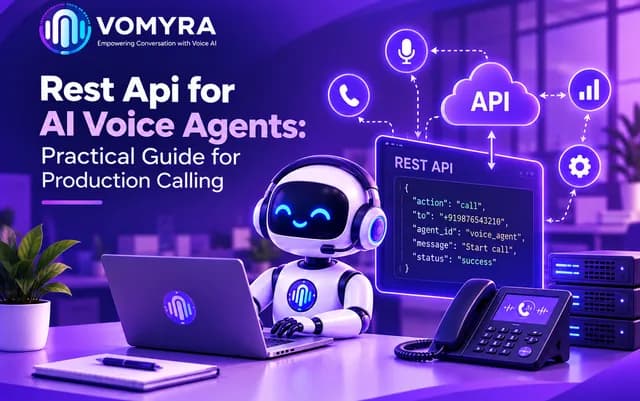
A REST API for AI Voice Agents provides a structured way to start calls, pass instructions, retrieve status and connect conversations to business workflows. Production use requires authentication, retries, webhooks and monitoring.
What a REST API Does in a Voice Workflow
A REST API lets applications exchange data through defined HTTP endpoints. A business application can request calls, provide details or retrieve records.
An AI voice agent API connects a business application with a calling platform. It returns information such as a call ID or validation error; endpoint details vary by provider. An AI voice agent API should also expose enough status information for support teams to investigate failures. Document the authentication flow for REST API integration for AI voice agents. Use staging credentials first.
Plan the Call Lifecycle Before Coding
Define a call lifecycle to prevent duplicates and missing records:
- Validate the phone number, consent status and required details.
- Authenticate the request and submit the call.
- Store the returned call ID and initial status.
- Receive status updates and completion events.
- Process the result and update the CRM or another business system.
REST API integration for AI voice agents works best when each step has a clear owner. Document payloads and status values. Test REST API integration for AI voice agents in staging.
Essential API Design Considerations
Authentication and request validation
Keep credentials server-side, limit permissions and rotate keys. Validate phone numbers, required fields, time zones and agent settings before calling.
Error handling, retries and idempotency
Handle invalid input, rate limits, expired credentials and outages. For uncertain timeouts, use idempotency keys if supported; retry temporary errors with backoff.
Test a Production voice calling API against failures before launch, and log diagnostic details without exposing credentials or personal data. Document rate limits and escalation paths for a Production voice calling API.
Webhook Integration for Voice Agents
REST requests start actions; webhooks notify your application when a call starts, finishes or produces another supported event.
Webhook integration for voice agents reduces polling. Verify event origin, acknowledge promptly and queue lengthy processing. For webhook integration for voice agents, follow the provider’s verification method and handle late or duplicate events idempotently. Store event IDs where available to prevent repeated processing. This is an important safeguard in webhook integration for voice agents.
| Workflow event | Example data | Possible application action |
| Call initiated | Call ID and status | Link the call to a lead |
| Call answered | Status and timestamp | Update the live call state |
| Call completed | Final status and duration | Close the CRM activity |
| Call failed | Error code or reason | Flag the record for review |
| Summary available | Summary or result reference, if supported | Save the outcome and plan the next step |
Event names and payloads vary by provider. Your webhook endpoint should follow the documented verification process and safely handle repeated events.
Handle Real-Time Conversations and Business Actions
Agents may check appointment availability, look up orders or transfer leads. A Real-time voice API can support low-latency exchanges, depending on its features. Confirm whether streaming is required and whether a Real-time voice API supports it.
Separate conversation logic from business actions: a scheduling service, for example, should validate and confirm a requested appointment.
REST API integration for AI voice agents needs fallbacks when a CRM or calendar fails; the agent should never claim an action succeeded when it did not. Test this path before launch.
Build for Production Scale
A workflow that works for a few calls may fail under traffic spikes. An AI voice agent API should track latency, failures, call outcomes and webhook delays.
Test a Production voice calling API with realistic traffic. Use queues, set downstream timeouts and alert on unusual failure rates. Revisit capacity as call volume grows when operating a Production voice calling API.
AI voice calling infrastructure includes telephony, runtime, integrations, storage and monitoring. Document dependencies and define when to retry or escalate. Keep monitoring in place so AI voice calling infrastructure issues are detected early.
A Real-time voice API may limit concurrency or streaming. Test limits and measure delay for a Real-time voice API.
Security, Privacy and Compliance
Voice workflows process sensitive details. Minimise collection, set retention periods, restrict access to recordings and follow applicable consent and calling rules.
AI voice calling infrastructure also needs incident procedures and recovery tests. Review AI voice calling infrastructure regularly. Test revoked credentials, forged webhooks and outages.
Before launch, test unanswered calls, invalid numbers, opt-outs, duplicate events and outages. Vomyra’s supported capabilities should be verified in current documentation. Confirm pricing, data handling and integration requirements as well. Vomyra should be evaluated against these practical requirements.

Production Readiness Checklist
Before deployment, confirm that your team has:
- Reviewed API documentation and required permissions.
- Secured credentials and validated every request.
- Defined call states, error handling and retry limits.
- Implemented webhook verification and duplicate-event handling.
- Connected call outcomes to the right business records.
- Set up monitoring, alerts and privacy controls.
- Tested load, failures and human escalation.
Treat an AI voice agent API as part of a larger application. Verify whether Vomyra supports your required features and integrations.
Conclusion
A REST API for AI Voice Agents connects calls with CRMs, calendars and other systems. Reliability depends on a clear lifecycle, secure credentials, safe retries, idempotent webhooks and monitoring.
Start with one use case, test success and failure scenarios, then expand using measured results. Evaluate Vomyra against documented capabilities and your compliance needs.
Frequently Asked Questions
1. What is a REST API for AI voice agents?
It lets applications send requests to a voice platform, such as starting a call, passing configuration or retrieving call details through defined HTTP endpoints.
2. Why are webhooks useful for voice calling?
Webhooks notify an application about events such as call completion or failure. They reduce repeated polling and can trigger CRM updates or follow-up workflows.
3. How can duplicate calls be prevented?
Validate requests, store call identifiers and use idempotency keys if supported. Retry only appropriate failures and check request status when an outcome is uncertain.
4. What should be monitored in a production voice API?
Monitor request latency, error rates, call outcomes, rate-limit responses, webhook delays and failures in connected systems. Alerts help teams identify issues before they affect many calls.
5. What should teams check before choosing a voice API?
Review authentication, documentation, supported call flows, concurrency limits, webhook security, integrations, pricing, data handling and support. Test the required workflow before deploying at scale.