Google Ads helps businesses connect with people who are actively searching for products and services. However, generating leads is only one part of the sales process. Businesses also need to contact prospects, understand their requirements and move interested customers towards a purchase.
When lead follow-ups are delayed or handled manually, potential customers may lose interest. An AI voice agent for Google Ads leads can help businesses automate the first conversation, qualify enquiries and manage follow-up activities.
This guide explains how AI voice agents work with Google Ads leads, which tasks businesses can automate and how these workflows support sales teams.
What Is an AI Voice Agent for Google Ads Leads?
An AI voice agent is a system that uses conversational AI to make or receive phone calls. When connected to a Google Ads lead management workflow, it can contact people who submit enquiry forms and communicate with them naturally.
For example, someone searching for a property, insurance plan or software solution may submit their contact details through a Google Ads lead form. Once the lead information reaches the connected system, an AI voice agent can initiate a call, ask relevant questions and record the customer’s responses.
Unlike traditional automated calling systems, AI voice agents can understand spoken answers and respond according to the conversation.
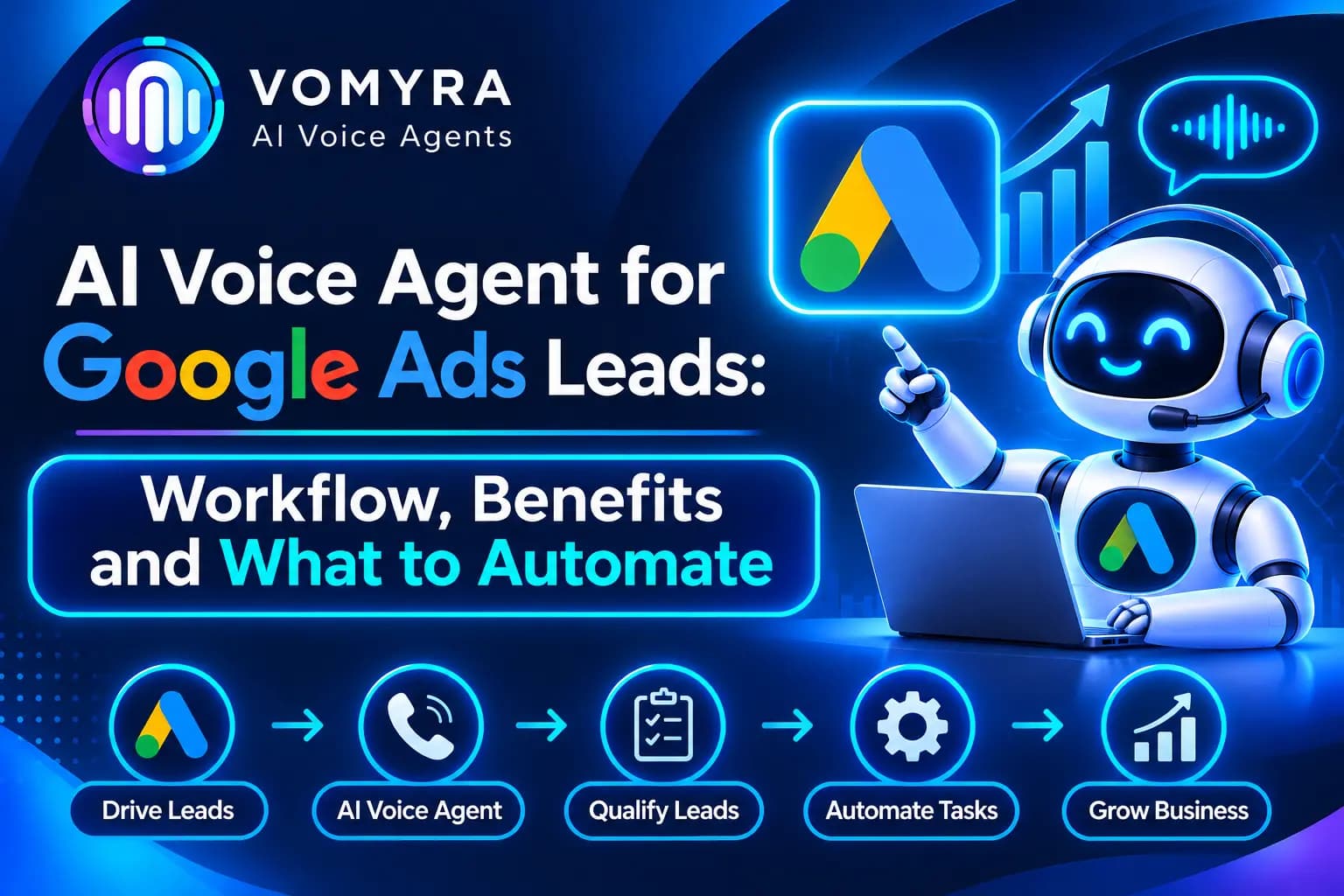
How AI Voice Agents Work with Google Ads Leads
The process involves connecting Google Ads lead data with a CRM or backend application and an AI calling platform.
1. Lead Generation Through Google Ads
A potential customer clicks an advertisement and submits their details through a website form or Google Ads lead form asset. The submitted information may include their name, phone number, email address and selected requirements.
2. Automatic Lead Transfer
The lead information is transferred to a connected CRM or application using a webhook, Google Ads API or an integration platform such as Zapier. This removes the need to download and upload lead details manually.
3. AI Voice Agent Initiates a Call
After receiving the lead, the connected workflow can trigger an outbound call. The AI voice agent introduces the business, confirms the enquiry and asks whether the customer is available to discuss their requirements.
4. Lead Qualification
The agent asks questions based on the business’s sales process. It can collect information about budget, location, product interest, service requirements or purchase timeline.
5. CRM Updates and Follow-Ups
After the conversation, the system can save the call outcome, update lead status and trigger the next action. Interested prospects can be assigned to sales representatives, while customers who need more time can be added to an approved follow-up workflow.
What Can Businesses Automate with AI Voice Agents?
Not every sales activity needs to be automated. Businesses should focus on repetitive tasks that take time away from their sales teams.
Instant Lead Response
An AI voice agent can automatically initiate calls after a new lead is received. This helps reduce the delay between form submission and the first contact attempt.
Lead Qualification Questions
The agent can ask predefined questions to understand whether a prospect matches the business’s target audience. For example, a real estate business can ask about preferred location, property type and budget.
Appointment Scheduling
For businesses that offer consultations or product demonstrations, the agent can collect preferred dates and check available slots through a connected scheduling system.
Missed Call and Follow-Up Management
If a prospect does not answer, the workflow can schedule another attempt according to business rules. It can also manage follow-up conversations with leads who requested a later call.
CRM Data Entry
Call outcomes, customer requirements and lead status can be recorded automatically in the connected CRM. This reduces repetitive data entry and helps sales teams access updated information.
Lead Routing
Based on customer responses, leads can be assigned to the appropriate sales representative or department. High-intent enquiries can be prioritised for personal follow-up.
Read Also: How to Integrate OpenAI with AI Voice Agents: Setup, Use Cases and Benefits
Benefits of Using AI Voice Agents for Google Ads Campaigns
Faster Lead Engagement
New enquiries can enter an automated calling workflow without waiting for a sales representative to become available. This helps businesses respond to potential customers sooner.
Better Lead Qualification
AI voice agents can ask consistent questions and collect useful information before passing leads to sales teams.
Reduced Manual Work
Sales representatives spend less time making repetitive first-contact calls, recording basic information and following up with unresponsive leads.
Improved Lead Management
Automatic CRM updates help businesses maintain organised lead records and track conversations across the sales process.
Scalable Calling Workflows
Businesses can manage larger volumes of enquiries through automated calling workflows. Actual calling capacity depends on the platform configuration, telephony limits and available resources.
How to Connect Google Ads Leads with an AI Voice Agent
Step 1: Set Up Google Ads Lead Collection
Create a Google Ads campaign with a suitable conversion goal. You can collect enquiries through a landing page or an eligible Google Ads lead form asset.
Step 2: Connect Lead Data to Your CRM
Configure a webhook, Google Ads API integration or supported third-party connector to send new lead information to your CRM or backend application.
Step 3: Connect the AI Voice Agent
Integrate your AI voice agent platform with the application receiving the leads. Configure the calling workflow, business information, conversation instructions and voice settings.
Step 4: Define Qualification Rules
Prepare questions that help identify customer intent. Keep conversations relevant to the campaign and avoid asking for unnecessary personal information.
Step 5: Configure CRM Actions
Set up actions for updating lead status, saving call summaries, assigning sales representatives and scheduling follow-ups.
Step 6: Test the Complete Workflow
Test lead delivery, calling triggers, conversation quality, CRM updates and follow-up conditions before using the workflow for live campaigns.
Read Also: Twilio Integration with AI Voice Agents: Complete Setup and Workflow Guide
Best Practices for Google Ads Lead Calling Automation

Keep the first conversation relevant: The agent should introduce the business and refer to the enquiry rather than starting with a generic sales pitch.
Use campaign-specific instructions: Different campaigns may attract customers with different needs. Configure suitable questions and responses for each service or product.
Maintain data security: Validate webhook requests, protect API credentials and restrict access to customer information.
Provide human handover: Allow prospects to speak with a sales representative when they request assistance or have complex requirements.
Track meaningful results: Monitor contact rates, qualified leads, appointments, conversion rates and cost per qualified lead instead of measuring success only by call volume.
Respect calling preferences: Follow applicable telemarketing, consent, privacy and do-not-call requirements. Provide appropriate options for customers who do not want further calls.
How Vomyra Supports Google Ads Lead Automation
Vomyra provides an AI voice agent platform for businesses that want to automate customer conversations and calling workflows. By connecting lead management systems with voice automation, businesses can create workflows for new enquiry calls, lead qualification, appointment scheduling and sales follow-ups.
Businesses can use these workflows to collect customer requirements, maintain conversation records and pass relevant information to their sales teams. The exact workflow depends on the selected integrations, calling setup and business requirements.
Conclusion
Google Ads can generate valuable enquiries, but timely communication and proper lead management play an important role in converting those enquiries into customers.
An AI voice agent for Google Ads leads helps businesses automate initial calls, qualify prospects, schedule appointments and update CRM records. With the right integrations and clear calling rules, businesses can reduce repetitive work and give sales teams more time to focus on meaningful customer conversations.
Frequently Asked Questions
1. Can AI voice agents automatically call Google Ads leads?
Yes. When Google Ads lead information is connected to an AI voice agent through a CRM, webhook, API or integration platform, a new lead can trigger an outbound calling workflow.
2. How are Google Ads leads transferred to an AI voice agent?
Leads can be transferred through Google Ads lead form webhooks, the Google Ads API or supported third-party integrations. The receiving application can then trigger the configured AI calling workflow.
3. Can an AI voice agent qualify Google Ads leads?
Yes. It can ask questions about customer requirements, budget, location, service interest and purchase timeline. Responses can be recorded and used to categorise leads.
4. Can AI voice agents update CRM records after calls?
Yes. With a suitable CRM integration, the system can save call outcomes, customer responses, summaries and lead status updates.
5. Which businesses can use AI voice agents for Google Ads leads?
Real estate agencies, healthcare providers, educational institutions, financial service businesses, automobile dealerships and B2B companies can use AI voice agents to manage incoming advertising enquiries.