Introduction
A natural voice can make a significant difference in how customers experience an AI voice agent. Traditional automated calling systems often use generic voices that sound different from the people customers normally interact with. This can make conversations feel less personal, especially during sales calls, customer support and appointment follow-ups.
Cartesia offers AI voice technology that helps businesses create more natural and consistent voice experiences. Its voice cloning capabilities allow an authorised voice to be recreated and used by AI applications, while its Sonic text-to-speech models generate spoken responses from text.
For businesses, this creates an opportunity to build AI voice agents that communicate using a recognisable brand voice, founder’s voice or salesperson’s voice.
However, voice cloning is only one part of the system. A complete AI voice agent also needs speech recognition, a language model, conversation management, telephony and business integrations.
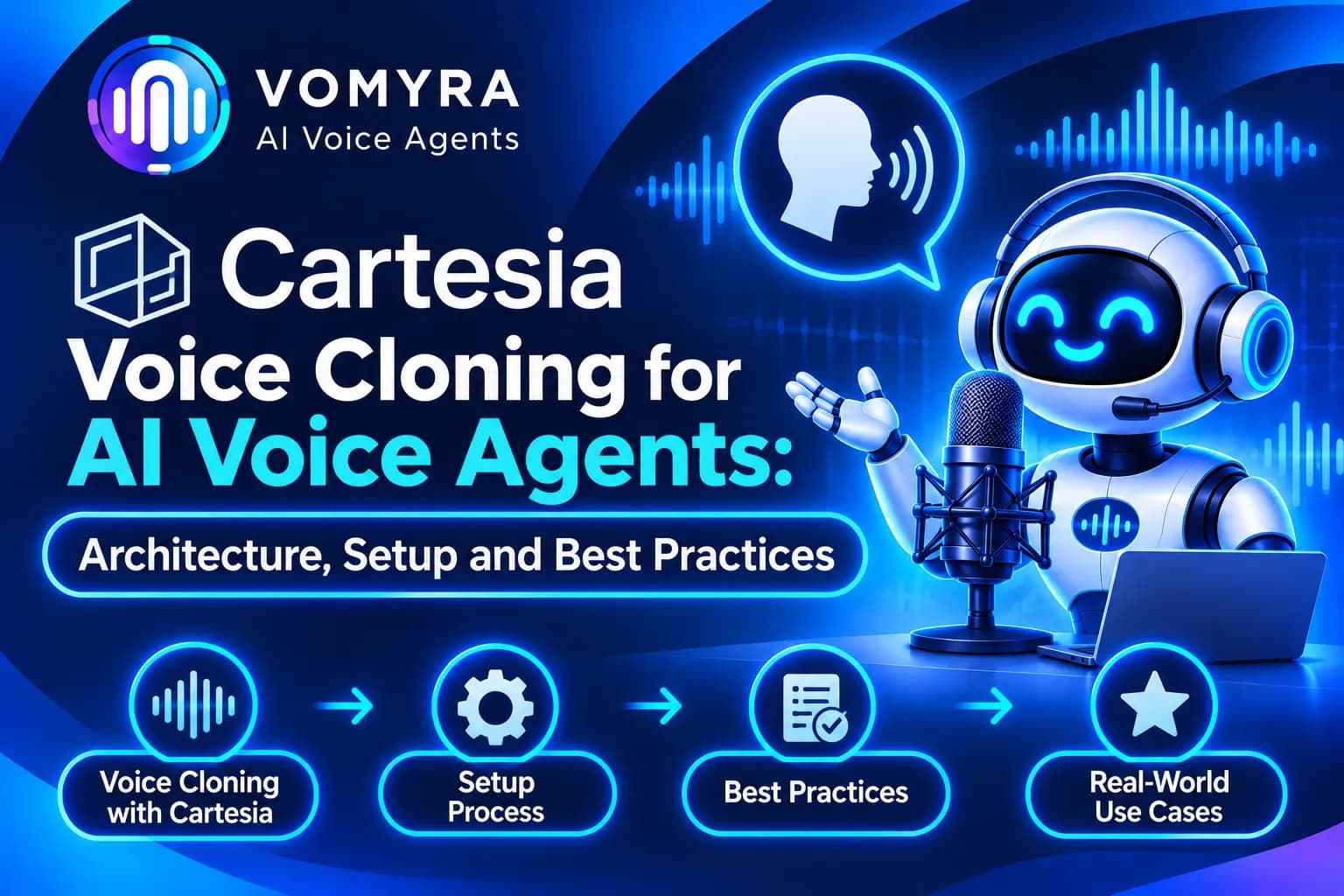
This guide explains how Cartesia voice cloning works with AI voice agents, the architecture behind the integration, the setup process and best practices for production deployment.
What Is Cartesia Voice Cloning?
Cartesia is a speech AI platform that provides text-to-speech, speech recognition, voice cloning and real-time voice capabilities.
Its Sonic models convert written text into natural-sounding speech. Voice cloning allows developers to create a reusable voice model from an authorised audio recording. The cloned voice can then generate new speech without requiring the original speaker to record every response.
Cartesia offers different voice cloning approaches:
- Instant Voice Cloning: Creates a voice clone from a short reference recording. It is suitable for quickly creating and testing a custom voice.
- Professional Voice Cloning: Uses longer recordings to create a higher-fidelity voice model for production applications.
- Voice Localisation: Allows a voice identity to be adapted for supported languages and regional delivery.
Cartesia’s current product information describes instant cloning from around 10 seconds of audio and professional cloning using longer recordings, typically 15–30 minutes. The required recording length and availability depend on the selected cloning method.
When connected to an AI voice agent, the cloned voice becomes the speech-generation layer. The AI agent decides what to say, and Cartesia generates the spoken response in the selected voice.
How Cartesia Voice Cloning Works in AI Voice Agents
A voice-cloned AI agent combines speech recognition, language processing and voice generation to manage conversations.
A typical architecture follows this workflow:
Caller → Telephony → Speech Recognition → LLM → Business Tools → Cartesia Sonic → Caller
Each component performs a specific function.
1. Voice Recording and Cloning
The first step is collecting a clear audio recording from the person whose voice will be cloned.
The recording is processed by Cartesia’s voice cloning system to create a reusable voice identity. The resulting voice can be selected for speech generation through the supported API or application workflow.
Recording quality is important. Background noise, unclear pronunciation and unnatural pauses can affect the quality of the resulting voice.
2. Caller Audio and Speech Recognition
When someone calls the AI agent, the telephony system captures the caller’s speech and sends the audio to a speech recognition service.
The STT engine converts the spoken words into text. Cartesia also provides Ink for speech-to-text applications, although developers can choose another compatible transcription provider.
The transcript is then passed to the conversation engine for processing.
3. LLM and Conversation Processing
The language model understands the caller’s question, checks the conversation history and generates an appropriate response.
For example, if a prospect asks about the pricing of a service, the agent can retrieve approved pricing information and prepare a relevant answer.
The LLM can also decide whether an external action is required, such as checking a calendar, retrieving a CRM record or scheduling a meeting.
4. Business Tool Execution
AI voice agents often need access to business systems to complete tasks.
The application can connect to CRM platforms, appointment calendars, order management systems and other APIs. These tools provide the information required to answer customer questions or perform approved actions.
The agent should verify the result of an action before confirming it to the caller.
5. Cartesia Voice Generation
Once the response is ready, the application sends the generated text and selected voice ID to Cartesia’s Sonic text-to-speech system.
Cartesia converts the text into audio using the cloned voice. The audio can be streamed back through the telephony connection or another supported communication channel.
Sonic supports streaming speech generation, allowing the application to begin playback as audio becomes available instead of waiting for the complete response.
Key Components Required for the Integration
A production-ready Cartesia voice agent needs several components working together.
| Component | Responsibility |
| Cartesia Voice Cloning | Creates the reusable voice identity |
| Cartesia Sonic | Generates spoken responses |
| Speech-to-Text | Converts caller audio into text |
| LLM | Understands requests and generates responses |
| Telephony | Connects the agent with phone callers |
| Backend and APIs | Manages business logic and external actions |
| CRM or Calendar | Stores lead information and manages appointments |
Cartesia is primarily responsible for speech capabilities in this architecture. Developers using its standalone TTS API must provide the remaining conversation and calling infrastructure separately. Cartesia also offers Managed Agents as a separate product for hosted voice-agent workflows.
How to Set Up Cartesia Voice Cloning for AI Voice Agents

The integration process depends on whether a business uses Cartesia directly through its APIs or a managed AI voice-agent platform.
The following steps describe a general implementation.
Step 1: Prepare an Authorised Voice Recording
Choose the person whose voice will represent the AI agent. This could be a founder, salesperson, brand representative or another authorised speaker.
Prepare a short script that reflects the desired speaking style. The recording should include natural sentences, clear pronunciation and the tone the business wants customers to hear.
Always obtain the speaker’s explicit permission before creating or deploying a voice clone.
Step 2: Create the Voice Clone
Create a Cartesia account and access the available voice cloning tools through its platform or supported API.
Upload the reference audio and follow the requirements for the selected cloning method. After processing, the system provides a reusable voice identity that can be selected for speech generation.
Cartesia recommends clear recordings with minimal background noise, limited silence and natural speaking patterns. For high-similarity instant cloning, it recommends keeping the recording around 10 seconds and avoiding unnecessary audio enhancement.
Step 3: Configure Cartesia Sonic
Once the voice is ready, select the appropriate Sonic model for speech generation.
The model receives text from the AI conversation engine and converts it into audio. Developers can also configure supported voice settings, output formats and streaming behaviour.
Cartesia’s current speech synthesis documentation lists Sonic 3.6 as a text-to-speech model and supports generating audio through its API.
Step 4: Connect the Language Model
Choose an LLM to manage the agent’s conversations. Configure its system instructions, business knowledge and response rules.
The agent should understand its role, the products or services it can discuss, the information it can access and the situations where it should transfer a call to a human representative.
Step 5: Integrate Speech Recognition and Telephony
Connect an STT provider to process incoming caller audio. Then connect the telephony layer to manage incoming or outgoing calls.
For real-time applications, streaming audio and WebSocket connections can help reduce delays between caller input and the agent’s response.
Make sure the audio formats and sample rates used by the telephony provider and speech services are compatible.
Step 6: Connect Business Applications
Integrate the voice agent with the tools it needs to perform business tasks.
For example, a sales agent may need CRM access to retrieve lead information, while an appointment agent may need calendar access to check available time slots.
Configure authentication, permissions and error handling before allowing the agent to execute actions.
Step 7: Test and Deploy
Test the complete workflow using real conversation scenarios.
Check whether the cloned voice sounds consistent, whether the agent understands customer questions and whether audio playback remains natural during interruptions.
Also test background noise, different accents, API failures, call transfers and longer conversations before deploying the agent to customers.
Practical Use Cases of Cartesia Voice Cloning
Voice cloning can help businesses create consistent voice experiences across different customer communication workflows.
1. Personalised Outbound Sales Calls
Businesses can use a cloned salesperson’s voice for initial lead outreach and follow-ups. The agent can introduce the company, understand customer requirements and qualify prospects before transferring interested leads to the sales team.
This helps maintain a consistent communication style across large calling campaigns.
2. Founder-Led Customer Communication
Founders and business owners often build customer relationships through personal communication. A voice-cloned AI agent can support routine enquiries and follow-ups using an authorised version of the founder’s voice.
This can help businesses maintain a recognisable voice experience without requiring the founder to make every routine call.
3. Real Estate Lead Qualification
Real estate companies receive enquiries from property portals, websites and advertising campaigns.
An AI agent can contact interested buyers, ask about budget and preferred location, share approved property information and schedule site visits.
A consistent cloned voice can be used across multiple campaigns and lead segments.
4. Customer Support and Appointment Reminders
Businesses can deploy voice agents to answer routine questions, provide appointment reminders and share service updates.
The agent can retrieve relevant information from connected systems and communicate it using the selected voice identity.
5. Multilingual Customer Conversations
Businesses serving customers across different regions may need to communicate in multiple languages.
Cartesia supports voice localisation and multilingual speech generation. This can help businesses create more consistent voice experiences across supported languages, although language quality and pronunciation should be tested with native speakers before deployment.
Read Also: Azure Voice Live for AI Voice Agents: Practical Guide for Production Calling
Best Practices for Cartesia Voice Cloning in Production
Creating a voice clone is only the beginning. Businesses need to maintain audio quality, response accuracy and reliable conversation behaviour after deployment.
Use High-Quality Voice Samples
Record the speaker in a quiet environment with a good microphone. Avoid background conversations, excessive pauses and inconsistent speaking styles.
The sample should reflect the tone and delivery expected in actual customer interactions.
Obtain Proper Consent
Only clone voices when the speaker has authorised the intended use. Keep records of consent and define where the voice can be deployed.
Do not use a cloned voice to impersonate someone, mislead callers or create unauthorised representations of real people. Where appropriate, disclose that the caller is speaking with an AI agent.
Optimise for Real-Time Conversations
Voice agents should respond without unnatural pauses. Use streaming audio and monitor the complete response time across STT, LLM processing, API execution and TTS.
A fast speech model cannot compensate for slow CRM requests or inefficient conversation logic.
Test Voice Quality Over Phone Networks
A voice that sounds excellent through studio headphones may sound different over a mobile call.
Test the cloned voice using the actual telephony connection, codecs and network conditions expected in production.
Maintain Consistent Pronunciation
Business names, product names, addresses and technical terms should be pronounced correctly.
Use supported pronunciation controls or dictionaries where available. Test important names and numbers with real examples before launching the campaign.
Handle Interruptions and Human Transfers
Customers may interrupt the agent, ask unrelated questions or request a human representative.
Configure the system to stop unnecessary audio playback, process the new input and transfer calls when required.
Monitor Performance Regularly
Track call completion, response latency, transcription accuracy, transfer rates and customer feedback.
Reviewing call recordings and transcripts can help identify pronunciation issues, incorrect responses and problems with business integrations.
How Vomyra Uses Cartesia Voice Cloning for AI Voice Agents
Vomyra brings Cartesia-powered voice capabilities into business calling workflows. Its dedicated voice-cloning page describes a process in which an authorised speaker records approximately 30 seconds of audio, creates a cloned voice and assigns it to an AI agent or calling campaign. Vomyra also states that more than 35 agents are already using Cartesia voice cloning in production.
Businesses can use a founder’s voice, a salesperson’s voice or another authorised brand representative’s voice for customer conversations.
Vomyra also supports different voice and AI model options, allowing businesses to configure speech generation and conversation processing according to their requirements. Its platform connects voice agents with calling infrastructure and business tools through integrations such as REST APIs, webhooks, MCP and SIP trunking.
One implementation detail is worth checking before deployment: Vomyra’s general Custom Voices documentation says that voice cloning is not currently exposed through its standard custom-voice API and identifies that workflow as coming soon.
Therefore, businesses should confirm access to the dedicated Cartesia cloning workflow and its availability for their account rather than assuming every standard voice-setting screen supports uploading samples.
This approach helps businesses combine a recognisable voice identity with AI-powered calling, lead qualification, customer support and automated follow-ups.
Conclusion
Cartesia voice cloning gives businesses a way to create consistent AI voice experiences using authorised voice recordings. When combined with Sonic text-to-speech, speech recognition, an LLM and telephony infrastructure, it can support natural conversations across sales, customer support and appointment workflows.
Successful deployment requires more than creating a realistic voice. Businesses must also focus on recording quality, consent, response speed, pronunciation, call testing and reliable business integrations.
Platforms such as Vomyra help connect Cartesia-powered voice capabilities with AI calling workflows, making it easier for businesses to use personalised voice agents in their customer communication processes.
Frequently Asked Questions
1. What is Cartesia voice cloning?
Cartesia voice cloning creates a reusable AI voice model from an authorised audio recording. The cloned voice can generate new spoken responses through Cartesia’s supported speech-generation technology.
2. How much audio is required for Cartesia voice cloning?
Cartesia’s instant voice cloning can use a short recording of around 10 seconds. Professional Voice Cloning uses longer recordings, typically 15–30 minutes, for higher-fidelity results. Requirements depend on the selected method and account availability.
3. Can Cartesia cloned voices work with AI voice agents?
Yes. A Cartesia voice clone can be used with compatible Sonic text-to-speech workflows. The AI agent generates a response, and Cartesia converts that text into speech using the selected voice.
4. Does Cartesia provide speech recognition and text to speech?
Yes. Cartesia offers Sonic for text-to-speech and Ink for speech-to-text. Developers can use these services together or combine them with other compatible providers.
5. Can a Cartesia cloned voice speak multiple languages?
Cartesia supports voice localisation and multilingual speech generation. However, businesses should test pronunciation, accent and naturalness in each target language before using the voice in production.
6. Can I use Cartesia voice cloning with Vomyra?
Vomyra’s dedicated voice-cloning page describes a Cartesia-powered cloning workflow for assigning cloned voices to agents and campaigns. However, its general Custom Voices documentation distinguishes this from standard voice settings, so businesses should confirm the dedicated feature’s availability for their account before deployment.