AI voice agents are becoming an important part of business communication. They can answer customer calls, qualify leads, schedule appointments, provide information and manage follow-ups without requiring a human agent for every interaction.
However, a voice agent needs more than speech recognition and a language model to handle real business tasks. It must also connect with external tools, databases, CRMs and business applications. This is where the Model Context Protocol (MCP) becomes useful. It provides a standard way for AI applications to communicate with external systems and access the information required to complete tasks.
Understanding how an MCP client works helps developers build voice systems that can do more than respond to spoken questions. It allows them to create calling workflows that interact with real business applications.
What Is an MCP Client?
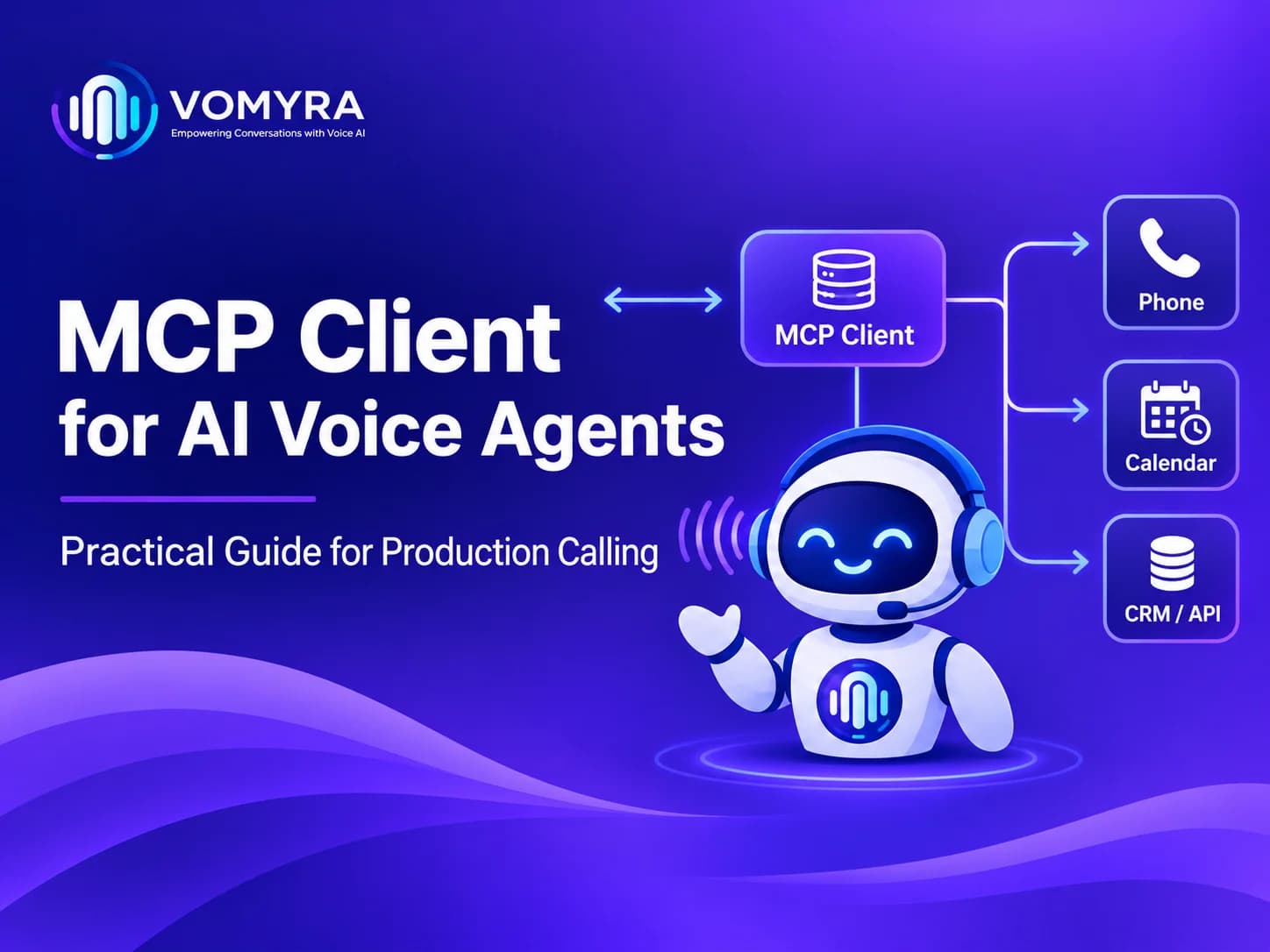
An MCP client is a component inside an AI application that communicates with MCP servers. It helps an AI system discover available tools, understand their functions and request specific actions when needed.
For example, imagine a customer calling a real estate company to schedule a property visit. The voice agent can understand the request, check available appointment slots and save the booking through an external scheduling system.
The client manages communication between the AI application and the connected server. Instead of creating a separate integration for every tool, developers can use a common protocol to connect different services.
How Model Context Protocol Works in AI Voice Systems
The Model Context Protocol for AI Voice Agents provides a structured way to connect language models with external tools and information sources.
A typical setup involves three main components:
- MCP Host: The main AI application that manages the interaction and uses the language model.
- MCP Client: Handles communication between the host application and an MCP server.
- MCP Server: Makes external tools, resources and available actions accessible to the application.
When a customer speaks to a voice agent, the system first converts speech into text. The language model understands the request and decides whether an external action is required.
If a tool is needed, the client communicates with the appropriate server. The result is returned to the AI application, which can then provide a relevant spoken response.
How MCP Client Integration Supports Production Calling
MCP Client Integration becomes valuable when voice agents need to perform real tasks during live conversations.
A basic voice agent may answer questions using predefined information. A connected system can also retrieve customer records, update databases and trigger business workflows.
Consider a customer asking, “Can you check my appointment for tomorrow?”
The voice agent can follow these steps:
- Understand the customer’s request.
- Collect the required identification details.
- Request appointment information through an available tool.
- Receive the result from the connected system.
- Confirm the appointment details through speech.
This process reduces manual work and makes conversations more useful.
Common Use Cases
MCP connections can support several business operations:
| Industry | Possible voice agent task |
| Real Estate | Qualify property leads and schedule site visits |
| Healthcare | Manage appointment enquiries and confirmations |
| E-commerce | Check order status and delivery information |
| Education | Answer admission enquiries and schedule counselling |
| Hospitality | Handle booking requests and customer questions |
| Financial Services | Retrieve permitted account-related information |
The exact capabilities depend on the tools connected to the system and the permissions granted to them.
MCP Server for Voice Agents: What Does It Do?
An MCP Server for Voice Agents exposes the tools and information that an AI application can use. It acts as an access point between the voice system and external business applications.
For example, a company may have customer information stored in a CRM, appointment details in a calendar and product information in a database. The server can expose selected operations from these systems through a consistent interface.
A server might provide tools such as:
- Search for an existing customer.
- Retrieve product information.
- Check appointment availability.
- Create a new booking.
- Update customer details.
- Submit a support request.
The server defines what each tool does and what information it requires. This makes it easier for the AI application to use external services without handling every integration independently.
Understanding MCP Client Architecture
A well-planned MCP Client Architecture is important for reliable production calling. Voice conversations happen in real time, so unnecessary delays or failed tool requests can affect the entire customer experience.
A typical architecture includes the following layers:
1. Voice Input and Processing
The system receives the customer’s speech and converts it into text using speech recognition technology.
2. Language Model and Decision Making
The language model identifies the customer’s intention and determines whether a tool call is required.
3. Client Communication Layer
The client manages connections, discovers available tools and sends structured requests to the appropriate server.
4. External Application Layer
The server communicates with connected services such as CRMs, calendars, databases and business APIs.
5. Response Generation
The result returns to the AI application, which prepares a clear response and converts it into speech.
This structure separates conversation handling from business operations. It also makes individual components easier to maintain and update.
MCP Tools for AI Voice Agents: Important Capabilities
MCP Tools for AI Voice Agents allow a voice application to interact with external systems instead of relying only on stored information.
For production environments, developers should select tools according to the actual business requirements.
Some useful capabilities include:
- Customer data retrieval: Find customer details using approved identifiers.
- Appointment management: Check available slots, create bookings and manage changes.
- CRM updates: Record call outcomes, lead details and customer requests.
- Order tracking: Retrieve current order and delivery information.
- Lead qualification: Collect relevant details and save them for the sales team.
- Post-call automation: Trigger follow-up activities after a conversation ends.
Every tool should have a clearly defined purpose. Giving an AI agent access to unnecessary operations can increase complexity and create avoidable security risks.
AI Voice Agent MCP Integration: Best Practices for Production
AI Voice Agent MCP Integration requires careful planning before a system is used for live customer calls. A workflow that works during a small test may behave differently when multiple customers call simultaneously.
Developers should consider these important areas:
1. Manage Response Time
Voice conversations should feel natural. Keep tool requests efficient and avoid unnecessary external calls. If an operation takes longer, the agent should provide a short status update instead of leaving the customer waiting without an explanation.
2. Apply Proper Authentication
Use secure authentication methods and provide access only to the tools and data required for each task. Sensitive customer information should not be exposed unnecessarily.
3. Handle Errors and Timeouts
External services may become unavailable or return incomplete information. The agent should recognise failures, explain the situation clearly and offer an alternative, such as transferring the call to a human representative.
4. Validate Tool Inputs
Check required fields before sending requests. For example, a booking operation should verify the customer’s details, date and available time slot before confirming the appointment.
5. Monitor Calling Performance
Track tool failures, response times, call completion rates and unsuccessful requests. These measurements help developers identify problems and improve the system over time.
Vomyra focuses on building voice automation workflows that can support business communication and customer interactions. A carefully designed integration can help businesses connect calling systems with the applications they already use.
MCP Protocol for Production Calling: Common Challenges
The MCP Protocol for Production Calling offers a standard communication approach, but it does not automatically guarantee a reliable voice experience.
Developers still need to address practical challenges such as:
- Network interruptions during live calls.
- Slow responses from external applications.
- Incorrect or incomplete customer information.
- Multiple tool requests within one conversation.
- Authentication and permission failures.
- Unexpected responses from connected services.
Testing should include normal conversations, incomplete requests, incorrect inputs and situations where external services are unavailable.
A reliable system should also maintain clear logs of tool activity without unnecessarily storing sensitive conversation data.

Voice Agent Tool Integration: Choosing the Right Approach
Voice Agent Tool Integration should begin with a clear understanding of what customers actually need during calls.
Start with a small number of useful operations, such as checking availability, retrieving customer information or creating appointments. Test these workflows before adding more complex automation.
Vomyra supports the idea of connecting voice interactions with practical business workflows rather than limiting automation to answering basic questions. Developers should focus on accuracy, security and a smooth customer experience when expanding these capabilities.
Conclusion
A properly designed MCP setup can make voice agents more useful by connecting conversations with external applications and business operations. The client, server and host work together to make tool discovery and communication possible.
For production calling, developers should prioritise secure access, low response times, input validation, error handling and continuous monitoring. These fundamentals help create voice systems that can manage real customer tasks reliably.
Related Blogs: What is a MCP Server? How Vomyra Uses It for Smarter Voice Agents
FAQs
1. What is the main purpose of an MCP client?
An MCP client connects an AI application with MCP servers, allowing it to discover and use external tools and resources.
2. What is the difference between an MCP client and an MCP server?
The client manages communication from the AI application, while the server exposes tools and resources that the application can access.
3. Can MCP be used with real-time AI voice agents?
Yes. It can connect voice applications with external tools, although developers must manage latency and asynchronous operations carefully.
4. Which tools can voice agents access through MCP?
Depending on the server, they can access CRM systems, calendars, databases, order management applications and other business services.
5. Is MCP suitable for production calling?
Yes, provided the implementation includes proper authentication, permissions, error handling, monitoring and performance testing.