An AI voice agent rarely operates in isolation. A call ending usually needs to trigger something else – a CRM update, a Slack notification to a sales rep, an SMS confirmation to the caller, a task created in a project management tool. Webhooks are the mechanism that makes this possible, connecting a voice agent’s events to the rest of a business’s tools in real time.
Unlike tool calling, which lets the agent pull information or take action during a live conversation, webhooks typically push information outward after something happens – a call starts, a call ends, a lead is qualified, a booking is confirmed – notifying other systems automatically instead of requiring someone to check and update things manually.
This guide covers what webhooks do in an AI voice agent architecture, common use cases, and how to design them reliably for production calling.
What Are Webhooks, in the Context of a Voice Agent?
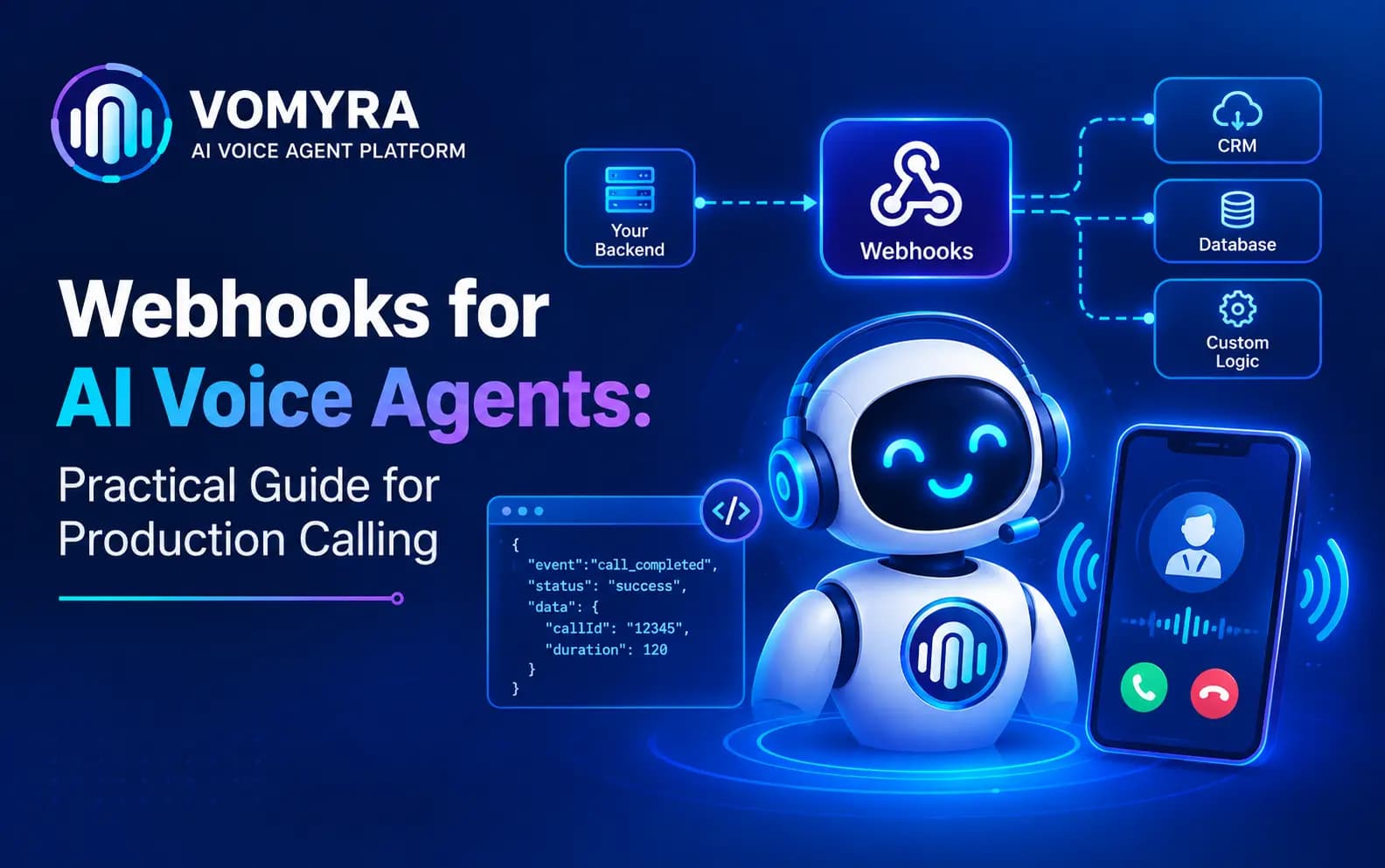
A webhook is an automated message sent from one system to another when a specific event occurs. In an AI voice agent setup, this means the voice platform sends structured data – a JSON payload – to a specified URL the moment a defined event happens, such as a call ending or a lead being qualified.
The receiving system – a CRM, a messaging platform, an internal tool – listens for this data and reacts to it automatically: updating a record, sending a notification, kicking off a workflow. This happens without anyone manually checking whether something occurred; the event itself triggers the reaction.
This is different from tool calling, where the voice agent actively reaches out mid-call to fetch data or take an action as part of the conversation. Webhooks are typically event-driven and outward-facing – reporting what happened, so other systems can respond.
Common Webhook Events in a Voice Agent Workflow
Most voice AI platforms expose webhooks for a set of standard events, including:
- Call started – useful for logging, live monitoring dashboards, or triggering a “call in progress” status elsewhere
- Call ended – often the most commonly used trigger, kicking off post-call workflows
- Call transcript ready – for systems that process or analyse the full conversation text
- Lead qualified / disqualified – triggering CRM updates, sales notifications, or nurture sequence entry
- Appointment booked / rescheduled / cancelled – syncing with calendar systems or notifying relevant staff
- Escalation triggered – alerting a human team member that a call needs attention
- Call failed or dropped – flagging technical issues or triggering a retry workflow
Each of these can be wired to trigger a different downstream action, depending on what the business needs to happen next.
Practical Use Cases for Webhooks in AI Voice Agent Workflows
CRM and Pipeline Updates
When a call ends, a webhook can push the call outcome, transcript, and qualification data directly into the CRM, updating the lead or deal record without manual entry.
Real-Time Team Notifications
A webhook triggered by a qualified lead or an escalation event can post directly to a Slack or Teams channel, alerting the right rep or team member immediately, rather than them discovering it later in a report.
SMS or Email Confirmations
After a booking is confirmed on a call, a webhook can trigger an SMS or email confirmation to the caller automatically, without the agent itself needing to handle messaging directly.
Task and Workflow Creation
A webhook can create a task in a project management tool – following up with an escalated customer, preparing materials for a booked meeting – the moment the triggering event occurs on a call.
Analytics and Reporting Pipelines
Call outcome data pushed via webhook can feed directly into a business intelligence tool or reporting dashboard, keeping call performance metrics current without manual data pulls.
Multi-System Orchestration
For businesses using several disconnected tools, webhooks can fan out a single event – like a qualified lead – to multiple systems simultaneously: the CRM, a notification channel, and an analytics pipeline, all triggered from the same call outcome.
Read Also: CRM Integration for AI Voice Agents: Practical Guide for Production Calling
Designing Reliable Webhooks for Production
Handle failures with retries Network issues or a temporarily unavailable receiving system can cause a webhook delivery to fail. Production systems should retry failed deliveries automatically, rather than silently losing the event.
Verify payload authenticity Webhook endpoints should validate that incoming requests genuinely come from the voice agent platform, typically through a signature or secret token, to prevent spoofed or malicious requests.
Design idempotent receivers Because retries can occasionally result in the same event being delivered more than once, the receiving system should be designed to handle duplicate events without creating duplicate records or actions.
Log webhook delivery and processing Both the sending and receiving sides should log webhook activity, making it possible to diagnose missing updates or failed automations after the fact.
Keep payloads focused Sending only the relevant data for a given event, rather than an entire call record with every field, keeps webhook processing fast and reduces the chance of errors on the receiving end.
Set clear timeout expectations The receiving endpoint should respond quickly to acknowledge receipt, processing the actual downstream logic asynchronously if it takes longer – a slow-responding webhook receiver can cause the sending system to treat the delivery as failed.
Webhooks vs Tool Calling: A Quick Comparison
| Factor | Webhooks | Tool Calling |
| Direction | Outward, event-triggered | The agent actively initiates it |
| Timing | Typically after an event (call end, booking made) | During the live conversation |
| Purpose | Notify other systems, trigger workflows | Fetch data or take action mid-call |
| Example | Sending a CRM update after a call ends | Checking live calendar availability during a call |
| Latency sensitivity | Lower – happens after the call, doesn’t block conversation | Higher – directly affects response time on the call |
Most production voice agent deployments use both – tool calling to power the live conversation with real data, and webhooks to connect the outcome of that conversation to the rest of the business’s systems.
Common Webhook Pitfalls
No retry logic A single failed delivery attempt with no retry means a lost event – and often, a lost CRM update or missed notification that no one catches until much later.
Overloading a single webhook with too much logic Trying to have one webhook trigger many unrelated actions makes debugging difficult when something goes wrong. Separating concerns into distinct, focused webhooks is usually more maintainable.
No monitoring for silent failures Without logging and alerting, a broken webhook integration can go unnoticed for a long time, with no one realising CRM updates or notifications simply stopped working.
Ignoring security validation Accepting webhook payloads without verifying their source leaves the receiving system open to spoofed requests triggering unintended actions.

Connected Voice Infrastructure, Not an Isolated Tool
An AI voice agent that can’t notify the rest of your business the moment something important happens on a call is only doing half the job. Reliable webhooks – with retries, monitoring and clean integration into your existing tools – are what make automation actually operational, not just conversational.
Vomyra is India’s Agentic Voice AI Platform, built with webhook and system integrations designed for production reliability, so call outcomes, qualified leads and booking confirmations flow automatically into the CRMs, notification tools and workflows your team already relies on. Businesses can launch complete AI voice agents – Research, Outreach, Qualification, Closing and Follow-Up – that stay connected to the rest of the business in real time.
If you’re evaluating a voice AI platform that needs to plug cleanly into your existing tools and workflows, it’s worth seeing how Vomyra handles this in practice.
FAQs
Do I need both webhooks and tool calling for a production voice agent?
Most production deployments benefit from both – tool calling for real-time data and actions during the conversation, and webhooks for triggering downstream workflows once the call or a specific milestone is complete.
What happens if a webhook delivery fails?
A well-designed system retries the delivery automatically for a defined period, and logs the failure if retries are exhausted, so the issue can be identified and resolved rather than silently lost.
Can webhooks be used to trigger actions in real time during a call?
Webhooks are typically better suited to post-event notifications rather than actions that need to happen within the live conversation itself – for real-time, in-call actions, tool calling is the more appropriate mechanism.
Do webhooks require technical setup, or can non-technical teams configure them?
Setting up the receiving endpoint typically requires some technical involvement, but many platforms offer pre-built integrations (CRM, messaging tools) that handle much of this without custom development.