AI voice agents can handle customer conversations, qualify leads, answer questions, and schedule appointments over the phone. However, a call does not always complete the entire customer journey. A prospect may need a booking link, a written summary, product details, or a reminder before taking the next step.
This is where WhatsApp follow-up for AI voice agents becomes useful. By connecting voice conversations with WhatsApp messaging, businesses can share relevant information after a call and make it easier for customers to respond. Vomyra can be explored for building connected voice automation workflows, depending on the required integrations and business use case.
What Is WhatsApp Follow-Up for AI Voice Agents?
WhatsApp follow-up is the process of sending a relevant message after an AI voice agent completes or attempts a call. The message may contain appointment details, requested information, a payment link, or instructions for the next step.
Instead of relying entirely on a phone conversation, businesses can give customers something they can review later. This is particularly useful when customers are busy, cannot remember every detail, or prefer written communication.
For example, an AI voice agent calls a potential customer to discuss a product demonstration. After the conversation, the system can send an approved WhatsApp message with the meeting details and a link to reschedule.
How the AI Voice Call Follow-Up Workflow Works
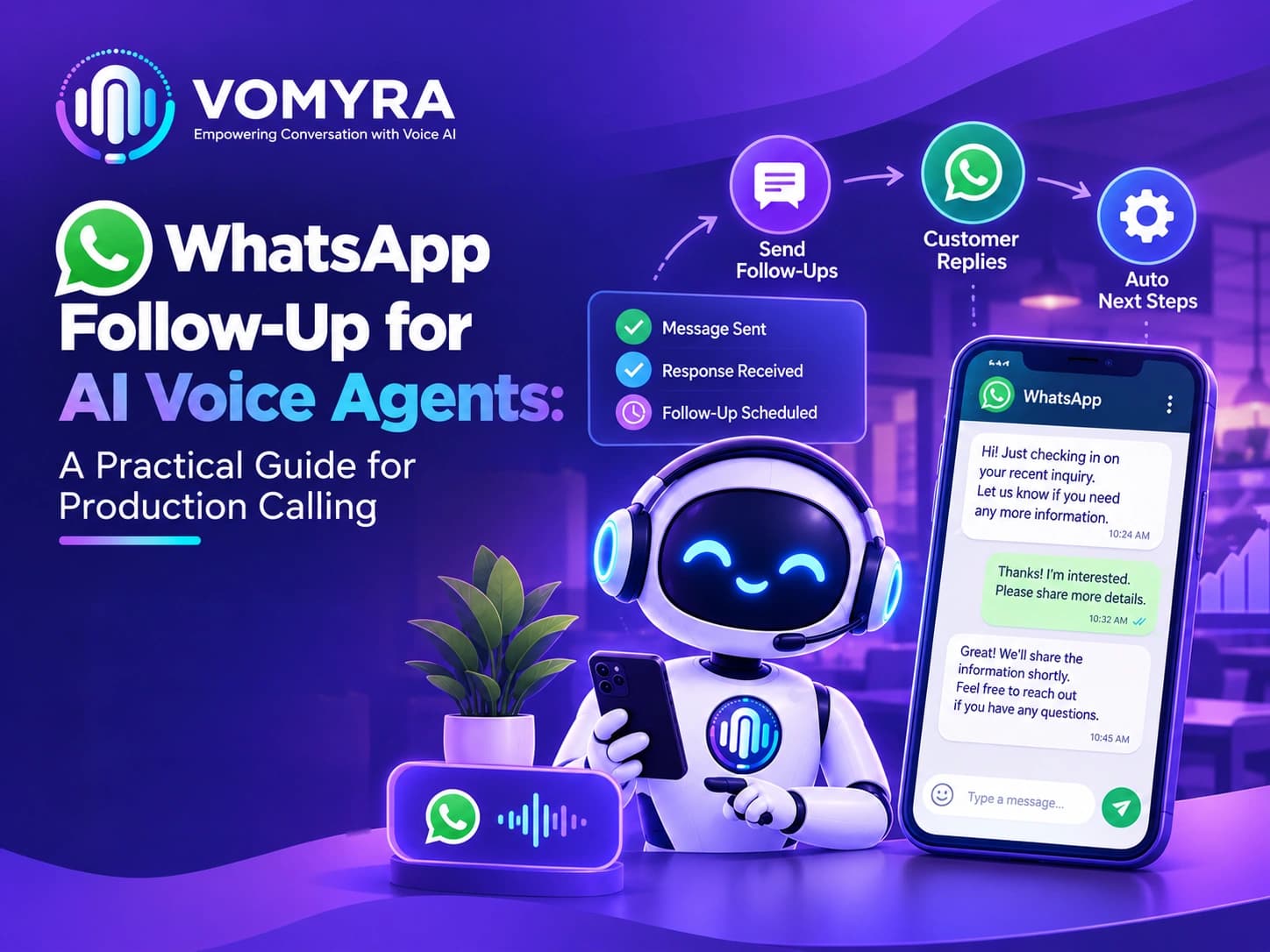
A reliable AI voice call follow-up workflow connects call outcomes with specific actions. Each message should have a clear purpose rather than being sent automatically after every call.
1. Capture the Call Outcome
Once the call ends, the system identifies its outcome. Common categories include a successful conversation, unanswered call, qualified lead, confirmed appointment, or request for human assistance.
The workflow should use structured call data wherever possible. This makes it easier to choose the right message for each situation.
2. Select the Appropriate Follow-Up
The next step depends on what happened during the call. A customer who requested a brochure should receive the requested information, while someone who booked an appointment may need confirmation.
With Vomyra, businesses can evaluate how their voice workflows can connect with messaging systems to support these post-call actions.
3. Send the WhatsApp Message
The system sends the appropriate message through an authorised WhatsApp Business messaging setup. Depending on the integration, this may involve a workflow platform, webhook, CRM, or custom API connection.
4. Track Delivery and Responses
A production workflow should monitor message status and customer replies where the connected systems support these functions. If a message fails, the system can record the issue and apply a defined retry or escalation rule.
This process helps businesses distinguish between a message that was attempted and one that was successfully delivered.
What to Include in Automated WhatsApp Follow-Up Messages
Automated WhatsApp follow-up messages should be short, relevant, and connected to the actual call. Customers should understand why they received the message and what they can do next.
Useful message types include:
- Appointment confirmation: Share the confirmed date, time, and meeting details.
- Requested product information: Send a relevant product page, brochure, or service document.
- Lead qualification summary: Record the customer’s stated requirement and the agreed next step.
- Missed-call follow-up: Invite the customer to reconnect when appropriate.
- Reminder messages: Remind customers about an upcoming appointment, subject to applicable messaging permissions.
- Human handover confirmation: Explain that a team member will follow up when the conversation requires additional assistance.
Avoid sending long summaries or multiple messages when one clear message can meet the customer’s needs.
AI Voice Agent WhatsApp Integration: What Businesses Need
AI voice agent WhatsApp integration connects the calling system with WhatsApp messaging so that relevant actions can happen automatically after a conversation.
A typical setup includes the following components:
| Component | Purpose |
| AI voice agent | Conducts the phone conversation and collects relevant details |
| Webhook or workflow trigger | Passes the call outcome to the next system |
| CRM or database | Stores lead information and call status |
| WhatsApp Business Platform | Sends approved messages through the configured integration |
| Reporting system | Tracks call outcomes, message delivery, and follow-up activity |
The exact architecture depends on the voice platform, CRM, and messaging provider. Before deployment, test authentication, field mapping, API failures, duplicate events, and delivery-status updates.
WhatsApp Messaging After AI Calls: Practical Examples
WhatsApp messaging after AI calls can support different customer journeys, but the message must match the customer’s situation.
Lead Qualification
After a sales call, a qualified prospect may receive a short message confirming the requirement discussed and providing a link to book a consultation.
Appointment Scheduling
Following a successful booking, the system can send the confirmed appointment details. If the booking system has not verified the reservation, the message should not describe it as confirmed.
Customer Support
If the AI agent cannot resolve an issue, a follow-up message can acknowledge the request and explain the next step. A support ticket number may also be included if one has actually been created.
Unanswered Calls
For an unanswered call, a brief message can invite the customer to reply or choose a suitable time to reconnect. This should only be used when the business has an appropriate basis to contact that person.
Best Practices for Production Calling
Post-call WhatsApp automation needs more than a working API connection. It requires controls that keep communication accurate, timely, and useful at scale.
Follow these practices:
- Respect consent and messaging rules. Follow WhatsApp Business policies, applicable opt-in requirements, and template rules for business-initiated messages.
- Use accurate call data. Personalise messages only with information captured or verified during the conversation.
- Prevent duplicate messages. Use unique call or event identifiers to prevent retries from sending the same message repeatedly.
- Handle failures properly. Log failed requests, apply controlled retries, and escalate persistent errors.
- Protect customer information. Share only necessary details and restrict access to call records and message logs.
- Measure outcomes. Track delivery rates, replies, appointment attendance, qualified leads, and conversions rather than message volume alone.
Vomyra can be assessed as part of a production calling setup where teams want to coordinate voice conversations and follow-up workflows. Before implementation, confirm the specific integration capabilities and test the complete process with real operational scenarios.
Read More: AI Voice Agent for Lead Follow-Up: Workflow, Benefits and What to Automate

How WhatsApp Automation for Business Calls Improves Customer Engagement
WhatsApp automation for business calls helps organisations maintain contact after a voice conversation without requiring employees to send every message manually.
It can reduce repetitive administrative work, make important information easier to access, and create a more consistent customer experience. However, automation should not replace human assistance when a customer has a complex question or explicitly requests personal support.
Businesses should also monitor opt-outs, unsuccessful deliveries, negative responses, and message frequency. These signals help teams improve the workflow without overwhelming customers.
Conclusion
WhatsApp follow-up for AI voice agents connects phone conversations with useful next steps, from appointment confirmations to requested product information. A well-designed workflow uses accurate call outcomes, authorised messaging, reliable integrations, and clear failure-handling rules.
Start with one use case, such as sending appointment confirmations or following up with qualified leads. Measure the results before expanding to additional workflows. With careful implementation, Vomyra can be evaluated as part of a voice automation strategy that supports timely, consistent customer communication.
Frequently Asked Questions
1. What is WhatsApp follow-up for AI voice agents?
It is the process of sending relevant WhatsApp messages after an AI voice call, based on the conversation outcome and the customer’s next step.
2. How does AI voice agent WhatsApp integration work?
The voice system sends call information to a connected workflow or CRM, which triggers an appropriate message through an authorised WhatsApp Business integration.
3. Can WhatsApp messages be sent automatically after every AI call?
Technically, workflows can be configured to trigger after calls, but not every call should generate a message. Consent, relevance, messaging policies, and the call outcome should determine whether a message is sent.
4. What should automated WhatsApp follow-up messages contain?
They should contain the relevant information requested during the call, such as appointment details, a resource link, or a clear next step. Avoid unnecessary promotional content.
5. How can businesses measure post-call WhatsApp automation?
Track delivery success, customer replies, appointment attendance, qualified leads, conversions, opt-outs, and message failures to assess whether the workflow improves business outcomes.